Table of Contents
- 5.1. Introduction
- 5.2. Language Features
- 5.3. Database Permissions
- 5.4. Language Structure
- 5.5. Variables
- 5.6. Missing/Blank Data
- 5.7. Arithmetic Operators
- 5.8. Conditional Execution
- 5.9. Built-in Functions and Statements
- 5.9.1. Edit check Function Compatibility Notes
- 5.9.2.
dfaccess - 5.9.3.
dfaccessinfo - 5.9.4.
dfalias2id - 5.9.5.
dfask - 5.9.6.
dfbatch - 5.9.7.
dfcapture - 5.9.8.
dfcenter - 5.9.9.
dfclosestudy - 5.9.10.
dfdate2str - 5.9.11.
dfday - 5.9.12.
dfdirection - 5.9.13.
dfentrypoint - 5.9.14.
dfexecute - 5.9.15.
dfgetfield - 5.9.16.
dfgetlevel/dflevel - 5.9.17.
dfgetseq - 5.9.18.
dfhelp - 5.9.19.
dfid2alias - 5.9.20.
dfillegal - 5.9.21.
dfimageinfo - 5.9.22.
dflegal - 5.9.23.
dflength - 5.9.24.
dflogout - 5.9.25.
dfmail - 5.9.26.
dfmatch - 5.9.27.
dfmessage/dfdisplay/dferror/dfwarning - 5.9.28.
dfmetastatus - 5.9.29.
dfmode - 5.9.30.
dfmoduleinfo - 5.9.31.
dfmonth - 5.9.32.
dfmoveto - 5.9.33.
dfneed - 5.9.34.
dfpageinfo - 5.9.35.
dfpassword - 5.9.36.
dfpasswdx - 5.9.37.
dfplateinfo - 5.9.38.
dfpref - 5.9.39.
dfprefinfo - 5.9.40.
dfprotocol - 5.9.41.
dfrole - 5.9.42.
dfsiteinfo - 5.9.43.
sqrt - 5.9.44.
dfstay - 5.9.45.
dfstr2date - 5.9.46.
dfstudyinfo - 5.9.47.
dfsubstr - 5.9.48.
dftask - 5.9.49.
dftime - 5.9.50.
dftoday - 5.9.51.
dftool - 5.9.52.
dftrigger - 5.9.53.
dfvarinfo - 5.9.54.
dfvarname - 5.9.55.
dfview - 5.9.56.
dfvisitinfo - 5.9.57.
dfwhoami - 5.9.58.
dfyear - 5.9.59.
int
- 5.10. Query operations
- 5.11. Reason operations
- 5.12. Lookup Tables
- 5.13. Looping
- 5.14. User-Defined Functions
- 5.15. Examples and Advice
- 5.16. Optimizing Edit checks
- 5.17. Creating generic edit checks
- 5.18. Debugging and Testing
- 5.19. Language Reference
The DFdiscover edit check language provides a general-purpose programming environment in which to create procedures that can be used to perform logic checks on data fields, generate quality control notes, and calculate and insert values into data fields. Edit checks may reference one or more data fields from any available record in the database, and may include arithmetic, logical and comparison operators. Looping and conditional execution constructs are also provided. The language structure is based on the C programming language and is a loose subset of C.
Edit checks are defined, named and stored in a study edit check file
(named DFedits and located in the study lib directory).
This file is accessed and edited by selecting
> in DFsetup.
Once defined, an edit check can be applied to
the desired data field(s) using the style or variable definition dialogs,
where the edit check can be set to execute on:
field entry, field exit, page entry, or page exit.
When choosing among the options of field entry, field exit, plate entry and plate exit, note the following:
most edit checks should execute on exit from the last field used in the edit check to ensure that the user has finished all relevant data entry and corrections.
if you do not trust users to tab through all data fields you may want to execute edit checks on both field and plate exit to ensure that a data record can not be saved without executing the edit checks.
do not attach edit checks to hidden fields if you want them to be executed by users who do not have access to hidden fields.
in Image view most edit checks should not be executed until after the duplicate resolution step has completed (which occurs on entry to the first non-key field), because the initial ICR values may be replaced by existing database values during duplicate resolution. In particular note that any edit checks triggered on exit from the key fields (visit and ID) will run to completion before duplicate resolution has a chance to occur, and thus might produce incorrect results.
any plate entry edit checks executed in Image view will be re-executed after the existing data record is brought forward by duplicate resolution.
Edit checks are most often executed interactively when entering and reviewing data records in DFexplore, DFcollect and DFweb but can also be executed in batch mode (see Batch Edit checks).
The process used to define edit checks in DFsetup is detailed in Study Setup User Guide, Edit checks.
In addition to user-defined field and plate entry and exit edit checks, there are 2 reserved edit check names:
DFopen_study- executed when the study is selected in the login dialog, andDFopen_patient_binder- executed when a subject binder is opened in DFweb, DFcollect or in DFexplore Data View, including when a user switches to Data View from any of the other views, and when a task record is selected for a different subject.
These two reserved edit checks are optional; if they are defined by an edit
check programmer they will execute in DFexplore, DFweb and DFcollect.
Additionally, DFopen_study executes for the first batch in a batchlist
when run in batch mode.
They are typically used to set user preferences (using function dfpref),
change visit and plate requirements from the default visit map specifications (using function dfneed),
and to display messages (using function dfwarning or dferror).
Since no data record has the focus when these edit checks run, the edit checks
cannot refer to data fields
unless the fields are fully qualified. For example, @[1001,0,1,15]
references field 15 and VDATE[1001,0,1] references variable
VDATE, both of plate 1 at visit 0 for subject 1001.
In DFopen_patient_binder, @PID can be used to refer to the
subject ID; thus VDATE[@PID,0,1] contains the value of the
VDATE field for the subject whose
binder is being opened.
In DFopen_study, @PID
equals 0 since no subject has yet been selected.
The edit check language provides the following features:
-
Support for all DFdiscover data types
-
Read/Write access to variables on the current plate
-
Read access to variables on other plates
-
Local variables
-
Arithmetic, logical, comparison operators
-
Query functions
-
Lookup table support
-
Legal range check functions
-
Message output functions
-
String matching and manipulation functions
-
Information functions
-
User-defined functions
In DFexplore the data fields available to edit checks are restricted by user's site, subject, visit, plate and read level access permissions, as specified in the roles the user plays within each study. This helps to ensure that users will not be shown database values in edit checks to which they would normally not have access, but it also means that data records unavailable to the DFexplore user can not be used in edit checks. This restriction does not apply to hidden fields. Thus data values that are needed in an edit check, but should not normally be seen by users with a certain role, can be made available by defining them as hidden fields on plates to which the user has read access permissions.
As each edit check is defined, it must be given a name.
This name can be any sequence of letters, but it is a good idea to use
names that are descriptive of what the edit check is to accomplish.
Names must start with a letter and may contain letters,
numbers and underscores, _.
There is no length limit on edit check names.
Edit check names are case sensitive, so myeditcheck()
and MyEditCheck() refer to different edit checks.
Comments can be placed anywhere an edit check by preceding it with an
octothorpe, #.
Edit checks begin with the line containing the
keyword edit, the name of the edit check,
a (, an optional parameter declaration list and a ).
The optional parameter declaration allows arguments to be passed into the
edit check. It is important to note that if parameters are declared, they
must be supplied when the edit check is invoked.
Following this is the body of the edit check, enclosed in a pair of braces,
{ and }.
The body of the edit check contains zero or more statements that perform
the desired operations.
Execution of the edit check begins with the first statement in the edit check
and proceeds to the next in sequence until the logic flow changes because
of an if or while
statement.
Execution is terminated via an exit or
return statement or when control reaches the end
of the edit check.
Braces, { and },
are used throughout the edit check language to group two or more
statements together to operate as one statement.
They become especially important when used with the
if and while statements that
require a single action statement.
Each statement in the edit check language is terminated by a semicolon,
;.
A simple edit check to convert pounds to kilograms could be written as
follows:
# This is a comment
edit lbs2kgs()
{
        kgs = lbs / 2.205;
}
Edit checks are placed one after the other in the DFedits
file, so the addition of a similar function to convert kilograms to
pounds would result in the following DFedits file:
edit lbs2kgs()
{
        kgs = lbs / 2.205;
}
edit kgs2lbs()
{
        lbs = kgs * 2.205;
}
An example of an edit check with parameters would look like this:
edit isbetween(number low, number high)
{
        if ((lbs < low) || (lbs > high)) {
                dferror("Weight is not between ", low, " and ", high, " pounds.");
        }
}
To verify that the weight is in the range of 100-250 pounds we would
attach the edit check isbetween(100, 250) on field exit
on the variable lbs.
Statements in the body of an edit check are executed in order.
The logic of an edit check typically terminates after the last statement is
executed, however, an edit check can be forced to terminate earlier
by use of the return or exit statements.
These two statements are very similar in purpose; they terminate the
logic of an edit check at the point where the statement is executed - no
following statements are executed.
The difference in the return and exit statements is in their
behavior with respect to a sequence of edit checks that are to be executed
at the same location on the current variable.
The exit statement terminates the current edit check and does not
execute any of the following edit checks on the variable, whereas return
terminates the current edit check but then resumes processing with the next
edit check defined on the variable, if any.
Example 5.1. Difference between exit and return
In this example, a variable has the following definition for the field enter edit checks:
ageCheck, demog, conmed
The three edit checks are to be executed in the listed order.
If an exit statement is executed in the body of ageCheck
then edit checks demog and conmed are
not executed.
However, if a return statement is executed in the body of
ageCheck, edit checks demog and
conmed would still be executed.
The same would be true for an exit or return statement inside the
body of edit check demog, conmed would
be skipped if exit executed, while it would not be skipped if return
was executed.
Now that you have some idea of what edit checks are about and have seen an example, we will turn to a description of the elements of the edit check language.
Variables are storage spaces that can hold values. Each variable has a data type associated with it, where the data type is from the list:
- number
- date
- string
- time
The data types have the following properties:
number. an optional leading plus/minus sign, a sequence of one or more digits (whole part of the number), an optional decimal point, and, optionally, one or more digits (fractional part). The range of numbers (10 digits at maximum, except for subject ID which allows 15 digits at maximum) that can be represented is
-2147483647to2147483647, inclusive.date. 2 or 4 digits for the year, 2 digits or 3 characters for the month, 2 digits for the day, and optional delimiters. The format of the date is taken from the field definition for database variables, or from the
format datedeclaration (see Section 5.5.7, “Date Variables”) for constant dates.string. a sequence of zero or more alphanumeric characters, plus a small set of two character sequences (see Section 5.19.2, “String Constants”), enclosed in double quotes. The maximum length of a string is taken from the field definition for database variables, or is 16383 bytes for constant strings (4095 UNICODE characters).
time. 2 digits for hours, a colon delimiter, two digits for minutes or 2 digits for hours, a colon delimiter, two digits for minutes, another colon delimiter and two digits for seconds. The minimum and maximum values are based on a 24 hour clock with a minimum value of 00:00:00 and a maximum value of 23:59:59.
Field types map to data types in the following way:
| Field type | Data type |
|---|---|
| Number | number |
| Date | date |
| String | string |
| Time | time |
| Choice | number |
| Check | number |
| VAS | number |
Different types can have different operations performed on them. For example, it makes sense to multiply two numbers together, but not two dates. The edit check language uses type information to decide what operations are permitted and what the results are. Subtracting two dates returns the number of days between them. Adding dates doesn't make sense, so this operation is not permitted and will result in an error message. Adding a number (of days) to a date is permitted and is used to calculate a date in the future.
Variables allow read/write access to data fields on the current plate, read-only access to data fields on another plate in the database, or read/write access to local temporary storage areas. A database field is referenced by its name as defined in the setup tool.
For example, if you have a database field called
DOB in your study setup, you would reference the
first instance of that field on the current page using:
DOB
References can be refined by specifying which module the variable is in. To
reference the DOB field in the current module that the
edit check is running in, use:
.DOB
To reference the DOB variable in the first instance of
the DEMOGRAPHICS module, use the construct:
DEMOGRAPHICS.DOB
To reference the DOB variable in the module
DEMOGRAPHICS with instance ID of 5, use the construct:
DEMOGRAPHICS[5].DOB
The above constructs operate on the current page. It is also possible to
reference variables in a read-only context on other pages by including
the keys to those pages by adding the id, visit and plate parameters to
the variable name using the form variable[id, visit, plate].
To reference the first instance of the DOB variable for
subject ID 12345 at visit 1 on plate 2, you would use:
DOB[12345, 1, 2]
The id, visit, and
plate fields can each be arithmetic expressions,
or may be left blank in which case they default to the current
id, visit, and plate. Thus:
DOB[,,]
means, the variable DOB for the current id,
on the current visit and plate which is the same as writing
DOB by itself.
Writing:
DOB[,1,2]
means the first instance of variable DOB for the current
subject ID, on visit 1, plate 2.
Similarly, module names can be added to more precisely specify which instance
of the DOB variable you wish to reference. To reference
the DOB field in the first instance of the
DEMOGRAPHICS module for subject ID 12345 at visit 1
and plate 2, use:
DEMOGRAPHICS.DOB[12345, 1, 2]
To reference
the DOB field in instance 5 of the
DEMOGRAPHICS module for subject ID 12345 at visit 1 and
plate 2 use:
DEMOGRAPHICS[5].DOB[12345, 1, 2]
Any string values written to database variables are sanitized (i.e., any '|' characters or control characters are converted to blank) before the data is written out to the database.
The first 6, and last 3, fields in all data records in a DFdiscover database are used for
database management by DFdiscover, and are referred to by the same variable names
in all DFdiscover studies. They are:
DFSTATUS (data record status: final, incomplete, etc.),
DFVALID (data record validation level: 1-7),
DFRASTER (the name of the
file holding the fax image of the CRF page corresponding to the data record),
DFSTUDY (the DFdiscover study number),
DFPLATE (the data record plate number),
DFSEQ (the data record sequence or visit number),
DFSCREEN (data record status
without consideration for primary/secondary),
DFCREATE (the record creation date and time) and
DFMODIFY (the record's last modification date and time).
Note that DFSEQ is assigned
only if the sequence/visit number is in the barcode; otherwise the name is
user-defined. A detailed description of these 6 fields can be found in
plt###.dat field descriptions.
In addition to named references to database variables, the edit check language allows access to data via positional notation. We may want to reference the variable we're presently on, without knowing its name. Similarly, we may want to reference the previous variable or the next variable in a record. This is accomplished with the @[expression], @[id,visit,plate,field], @T, @(T-expression), and @(T+expression) constructs.
Except for @[id,visit,plate,field] these positional variables may only reference data on the current record.
The @[expression] form refers to the field number represented by expression. For example, if expression evaluates to 7, then it would refer to the ID field (always the 7th field on a plate). To refer to the current field, the expression @[.] can be used. @[.+1] would indicate the next field on the plate.
A second, older construct also exists which does the same job. This is the @T construct (current field), @(T+1) which refers to the next field, and @(T-1) which refers to the previous field.
![[Important]](../../imagedata/important.png) | Important |
|---|---|
|
Note that @(T-1) means the previous field, while (@T-1) means one less than the current field. Watch those brackets! |
The @[id,visit,plate,field] form can be used to refer to any field on any record in the study database, by it's numeric keys. Those keys which will always be the same as the plate on which the edit check is triggered can be omitted. For example, @[,,55,10] refers to field 10 on plate 55 of the same visit for the same subject, and @[,,,10] is equivalent to @[10], both referring to field 10 on the current plate. While this form can be used to read and test the value of any field in the study database it cannot be used to change the value of fields on other records in the database. The edit check language does not allow changes to be made to records other than the one on which the edit check is triggered.
The use of positional variables is both convenient and necessary when writing reusable generic edit checks. However they depend on field positions remaining constant. Problems can arise if a plate is modified by adding, deleting or renumbering fields. Thus edit checks must be reviewed as part of any such modifications.
Local variables are temporary storage locations that can be used to hold intermediate results of calculations. Local variables are only valid inside the edit check or function in which they are defined. They do not retain their values across invocations of that edit check or function.
Local variables are declared at the beginning of the edit check or function where they will be used. The declaration includes the data type of the variable and it's name. It must precede any other statements inside that function or edit check. Local variables are automatically initialized to a blank value.
Example 5.2. Local variable declaration
edit testdecl()
{
        number average;
        average = (bp1 + bp2) / 2;
}
In this simple edit check, the average of two variables is
calculated and stored in the local variable average.
Since this variable is local to this edit check, its value is no longer
available as soon as the edit check completes.
Global variables are storage locations just like local variables but differ in that they maintain their values across edit checks. Global variables are initialized when the edit checks file is first loaded and maintain their values until an edit check changes it. That new value is then used in any subsequent references until it is changed again.
| Important |
|---|---|
It is important to remember that edit checks can be executed in an arbitrary order as the user traverses fields. It is therefore important to consider where the values in global variables really came from when executing in interactive tools such as DFexplore. |
Global variables are declared in the same way that local variables are, except that they are declared outside of edit checks.
Example 5.3. Global variable declaration
number pages_traversed = 0;
edit another_page()
{
        pages_traversed = pages_traversed+1;
        dfmessage("Page ", pages_traversed, " PID=",
                PID, " Plate=", DFPLATE, " Visit=", DFSEQ);
}
If this edit check is attached as a plate exit check, it will count how many pages were traversed by a user in the course of a session and record the subject, plate and visit numbers in the edit checks log file.
There are often cases where it is useful to group variables that are
related to each other.
The group declaration can be used to build one-dimensional arrays of
variables.
The group declaration syntax is as follows:
Once a group has been defined it is referenced by
groupname[index].
Example 5.4. Compute the total dose from the individual dosages
edit compute_dose()
{
        number total=0, i=1, blank=0;
        group dgrp dosage1, dosage2, dosage3, dosage4, dosage5;
        while (i<=5) {
                if (dfblank(dgrp[i])) blank = blank+1;
                else total = total + dgrp[i];
                i = i+1;
        }
}
The individual dosages are in the database variables
dosage1 through dosage5.
The group variable dgrp allows the individual dosages
to be referenced through an index.
Group variables can be used anywhere other variables can be used but must be declared after any local variables in that edit check or function have been declared and before the first statement of the edit check's body.
![[Note]](../../imagedata/note.png) | Missing group variables |
|---|---|
|
If a variable is missing from a group, the missing variable is treated as a missing value. If a variable defined in a group is on a plate that is missing from the database, the variable will also evaluate to a missing value. |
Each date variable in a DFdiscover study setup has a date format associated with it. This date format is used to determine which part of the date string contains the year, month and day portions of a date.
Internally, the edit check language uses julian dates and converts them
to printable representations as required.
Dates that are stored back into the database are stored using the date
format associated with that variable.
Dates displayed in messages are output using the default date format,
YY/MM/DD,
which can be overridden via the date format
instruction at the beginning of a DFedits file.
Example 5.5. Set the default date output format
to MM/DD/YY
date format "MM/DD/YY"
This statement must be added to the DFedits file.
| Date Format |
|---|---|
|
All date constants used throughout the |
Example 5.6. Incrementing a date value
date format "yy/mm/dd"
edit main()
{
        date d;
        d = "90/04/07";
        d = d + 14;
}
This example assigns the julian date for April 7th, 1990 to the local
variable d, and then add two weeks (14 days) to this date.
The two assignment lines cannot be combined into one line because the
conversion of the string to a julian date must be completed before
the subsequent addition of 14 to this value.
Combining them into one line would indicate that the string
"90/04/07" and the number 14 were to be added which is
clearly meaningless.
The DFdiscover edit check language allows the use of missing values in data fields.
Data may be unavailable for one of four reasons:
the data field has been left blank,
the data field contains a missing value code
the CRF page has not yet arrived and thus the data record does not exist in the database, or
the CRF page exists as a missed record.
The edit check language provides five functions for dealing with missing values:
dfblank,dfmissing,dfmissval,dfmisscode, anddfmissingrecord.
In addition, two functions exist that return information about missed data:
dflostcodedflosttext
Table 5.1. Return values for dfblank, dfmissing, dfmissval,
dfmisscode, and dfmissingrecord
dfblank | dfmissing | dfmissval | dfmisscode | dfmissingrecord | |
|---|---|---|---|---|---|
| Data Record does not exist | FALSE | TRUE | "" | "" | 2 |
| Data Record is a missed record | FALSE | TRUE | "" | "" | 1 |
| Field = missing value code | FALSE | TRUE | missing value label | missing value code | 0 |
| Field = blank | TRUE | TRUE | "" | "" | 0 |
| Field = value | FALSE | FALSE | "" | "" | 0 |
The dfblank function is used to determine if a data record exists
and the field is blank.
Table 5.2. dfblank usage
| Syntax: | dfblank(var) |
| Input Parameters: | var is any variable |
| Return Value: | TRUE if variable is blank.
A blank string/number/date is one containing no characters or digits,
not even a space.
Also TRUE for check and choice fields having a code for
"no choice".
FALSE in all other cases. |
| Example: |
if (dfblank(DOB)) dfmessage("DOB is missing");
|
| Notes: | The record containing var must exist for dfblank
to return TRUE.
Previous to 3.8, it was necessary to use, as a work-around, the construct if ( @T == 99 )... for check fields that coded "not checked" using a code other than 0, (e.g. 99 in this example). This work-around is no longer correct or supported. For check and choice fields any test for the code used for no choice, or unchecked, will always fail (i.e. evaluate to FALSE). The correct way to test for this condition is by using, if ( dfblank( @T ) )...
|
The dfmissing function is used to determine if a variable is missing,
either because the data record containing it does not exist, the data record
containing it is missed, the value is
blank, or the field contains a missing value code.
Table 5.3. dfmissing usage
| Syntax: | dfmissing(var) |
| Input Parameters: | var is any variable |
| Return Value: | TRUE if variable is missing. TRUE if variable references keys belonging to a missed record. TRUE if the variable type is date, and the value is a nonsensical date. FALSE in all other cases. |
| Example: |
if (dfmissing(DOB))
    dfmessage("DOB is missing");

# returns TRUE if keys match an entry identified as missed
if (dfmissing(DFSTUDY[,0,1]))
    dfmessage("Plate 1, visit 0 is a missed record");
|
| Notes: |
Testing for a missing record can also be performed with the
|
The dfmissval function returns the missing value label equivalent to the
variable's value.
Table 5.4. dfmissval usage
| Syntax: | dfmissval(var) |
| Input Parameters: | var is any variable |
| Return Value: |
The missing value label equivalent to the variable's value.
A Blank string in all other cases. |
| Example: |
label = dfmissval(DOB); |
The dfmisscode function returns the missing value code equivalent to the
variable's value.
Table 5.5. dfmisscode usage
| Syntax: | dfmisscode(var) |
| Input Parameters: | var is any variable |
| Return Value: |
The missing value code equivalent to the variable's value.
A blank string in all other cases. |
| Example: |
code = dfmisscode(DOB); |
The dfmissingrecord function returns information about a missing record.
Table 5.6. dfmissingrecord usage
| Syntax: | dfmissingrecord(id, visit, plate) |
| Input Parameters: | id is the subject ID of the missing record
visit is the visit number of the missing record plate is the plate number of the missing record |
| Return Value: |
Information about a missing record for the specified keys. Return values
are as follows:
|
| Example: |
if( dfmissingrecord(99001,0,1) == 1 )
    dfmessage( "Plate 1 at visit 0 is missed for this subject." );
|
dflostcode returns information about a missed record entered in DFexplore,
specifically the actual reason code assigned to the missed record.
Table 5.7. dflostcode usage
| Syntax: | dflostcode(id, visit, plate) |
| Input Parameters: | id is the subject ID belonging to the missed record
visit is the visit number belonging to the missed record plate is the plate number belonging to the missed record |
| Return Value: | The numeric reason code that has been assigned to the missed record having the specified keys. |
| Example: |
code = dflostcode(99001,0,1); |
dflosttext returns the actual text reason assigned to a missed record in
DFexplore.
Table 5.8. dflosttext usage
| Syntax: | dflosttext(id, visit, plate) |
| Input Parameters: | id is the subject ID belonging to the missed record
visit is the visit number belonging to the missed record plate is the plate number belonging to the missed record |
| Return Value: | The reason text (explanation) that has been assigned to the missed record having the specified keys. |
| Example: |
dfmessage( "The missed reason is ", dflosttext(99001,0,1) ); |
The edit check language supports two functions that can be used to identify
data records that do not exist in the database - dfmissing and
dfmissingrecord.
Using dfmissing requires testing for the existence of any one of the required fields on the data
record of interest.
For example, we could determine whether plate 1 at visit 0 is missing for the
current subject by testing to see if the DFdiscover study number is blank for
this record using dfmissing.
Example 5.7. Testing for a missing record with dfmissing
if( dfmissing( DFSTUDY[,0,1] )
    dferror("Plate 1 at Visit 0 is missing");
DFSTUDY is the name for the DFdiscover study number field
that is present on all plates in the database.
This field can never be left blank or contain a missing value code because
it is maintained by the system and users cannot edit it.
Thus the above test will only return true when the data record is missing or
if the specified keys match an entry marked as missed.
dfmissingrecord removes the need for the 'trick' of testing for a missing
record by
evaluating the value of a known, fixed variable. dfmissingrecord takes as
arguments the subject ID, visit and plate keys of the data record of interest
and returns the following:
0if the data record is in the database1if a missed record matching the keys is in the database2if there is no record in the database matching the keys
Example 5.8. Testing for a missing record with dfmissingrecord
if( dfmissingrecord(,0,1) == 2 )
    dfmessage( "Plate 1 visit 0 is not in the database" );
Example 5.9. Calculate the subject's age provided both birth date
(bdate) and the study entry date (edate)
are available.
if( !dfmissing( bdate ) && !dfmissing( edate ) )
    age = ( edate - bdate ) / 365.25;
Example 5.10. Complain if the subject was hospitalized (hospital has the value 2) but the hospitalization date has been left blank
if( hospital==2 && dfblank(hospdate) )
    dferror("Hospitalization date is required.");
Example 5.11. Check for a specific missing value label
if(dfmissval(hosp)=="not hospitalized" && !dfmissing(hospdate))
    dferror("Reason for hospitalization has missing value
    code = \"not hospitalized\", but a hospitalization date
    has been entered");
This example shows an edit check that might be placed on a field used
to record hospitalization date.
It checks the reason for hospitalization field (hosp) for
the existence of the missing value reason "not hospitalized" and if it
finds this reason pops up an error message.
Example 5.12. Check for a specific missing value code
If "N" was the missing value code for the above missing value reason,
the same edit check could be written using dfmisscode.
if(dfmisscode(hosp)=="N" && !dfmissing(hospdate))
    dferror("Reason for hospitalization has missing value " +
    "code = \"not hospitalized\", but a hospitalization " +
    "date has been entered");
This section summarizes the operators available and their results. In these tables a blank box indicates that the operation is not permitted and an error message will be produced.
The order of operations (highest to lowest precedence) is as follows:
unary minus
exponentiation
multiplication, division, modulus
addition, subtraction
You can override the default order of operations by using the
grouping operators, ( and ).
Expressions within parentheses are always evaluated first, and nested
parenthetical expressions are always evaluated from the lowest nesting point
to the highest.
For example,
2 + 3 * 5
evaluates to 17, because normal precedence evaluates the
* before the +, whereas
( 2 + 3 ) * 5
evaluates to 25, and
( ( 2 + 3 ) * 5 - 2 ) * 2
evaluates to 46.
In this latter case, ( 2 + 3 ) is evaluated first (5),
followed by ( 2 + 3 ) * 5 (25), and then
( ( 2 + 3 ) * 5 - 2 ) (23), and finally
( ( 2 + 3 ) * 5 - 2 ) * 2.
The addition operator, +, adds two operands and returns
the result as summarized by this table.
A missing variable may be a blank field, a missing value code or a
missing data record.
Returned missing values evaluate TRUE with dfblank and dfmissing
Table 5.9. Result table for Addition operator
| Missing | Number | Choice | Check | String | Date | Time | VAS | |
|---|---|---|---|---|---|---|---|---|
| Missing | Missing | Missing | Missing | Missing | String [a] | Missing | Missing | Missing |
| Number | Missing | Number | Number | Number | Date [b] | Time [c] | Number | |
| Choice | Missing | Number | Number | Number | Date | Time | Number | |
| Check | Missing | Number | Number | Number | Date | Time | Number | |
| String | String | String [d] | ||||||
| Date | Missing | Date | Date | Date | Date | |||
| Time | Missing | Time | Time | Time | Time | |||
| VAS | Missing | Number | Number | Number | Date | Time | Number | |
[a] Unlike other data types, string concatenation makes a distinction between blank fields which are concatenated as an empty string, and fields that contain missing value codes or where the data record is missing, which abort the concatenation and return a null string. [b]
Date/Number addition returns the date [c]
Time/Number addition returns the time [d] String/String addition returns the concatenated string, unless one of the strings is missing, in which case the result for Missing/String applies. | ||||||||
The subtraction operator, -,
subtracts two operands and returns the result as summarized by the
table.
A missing variable may be a blank field, a missing value code or a
missing data record.
Returned missing values evaluate TRUE with dfblank and dfmissing.
Table 5.10. Result table for Subtraction operator
| Missing | Number | Choice | Check | String | Date | Time | VAS | |
|---|---|---|---|---|---|---|---|---|
| Missing | Missing | Missing | Missing | Missing | Missing | Missing | Missing | |
| Number | Missing | Number | Number | Number | Date [a] | Time [b] | Number | |
| Choice | Missing | Number | Number | Number | Date | Time | Number | |
| Check | Missing | Number | Number | Number | Date | Time | Number | |
| String | String | |||||||
| Date | Missing | Date [a] | Date | Date | Number [c] | Date | ||
| Time | Missing | Time [d] | Time | Time | Number [e] | Time | ||
| VAS | Missing | Number | Number | Number | Date | Time | Number | |
[a] Subtracting a number from a date returns the date
[b] Subtracting a number from a time returns the time
[c] Date/Date subtraction returns the number of days between the dates. [d] Subtracting a number from a time returns the time
[e] Time/Time subtraction returns the number of seconds between the times. | ||||||||
The multiplication, *, division, /,
and modulus, %, operators return the results as
summarized by the table.
A missing variable may be a blank field, a missing value code or a
missing data record.
Returned missing values evaluate TRUE with dfblank and dfmissing.
Table 5.11. Result table for Multiplication/Division/Modulus operators
| Missing | Number | Choice | Check | String | Date | Time | VAS | |
|---|---|---|---|---|---|---|---|---|
| Missing | Missing | Missing | Missing | Missing | Missing | |||
| Number | Missing | Number[a] | Number | Number | Time | Number | ||
| Choice | Missing | Number | Number | Number | Time | Number | ||
| Check | Missing | Number | Number | Number | Time | Number | ||
| String | ||||||||
| Date | ||||||||
| Time | Time | Time | Time | Time | ||||
| VAS | Missing | Number | Number | Number | Time | Number | ||
[a] For division in which both operands are integers (no decimal or decimal places), the returned value will be truncated to an integer, e.g., 100/60 will return 1. To obtain a floating point result at least one of the operands must be a floating-point number, e.g., 100/60.0 returns 1.666667. Local and database fields may be cast to a floating-point number before the operation is performed by adding 0.0. For example, if A and B are 2 numeric fields which contain the integers 100 and 60 respectively, any of the following expressions: (A+0.0)/B, A/(B+0.0), (A+0.0)/(B+0.0) will return 1.666667. Division or modulus by zero results in an error message. | ||||||||
The exponentiation operator, ^, raises a number (the base)
to the power of an exponent, and is written as:
base^exponent
where both the base and the
exponent are numbers (integer, fixed point, or
floating point).
For example,
4 ^ 3 = 4 * 4 * 4 = 64
4 ^ 0.5 = sqrt( 4 ) = 2
The result of raising any number (including 0) to the exponent 0 (or 0.0) is 1. The result of raising 0 (or 0.0) to any positive exponent is 0. The result of raising 0 (or 0.0) to any negative exponent is illegal. The base can be negative only if the exponent is an integer value; that is, it is illegal to raise a negative number to a fractional exponent. In such a case, and in any case where the calculation is illegal, the returned result is a blank/empty string.
Results of exponentiation are summarized in the table.
A missing variable may be a blank field, a missing value code or a
missing data record.
Returned blank/empty values evaluate TRUE with dfblank and dfmissing.
Table 5.12. Result table for Exponentiation
| Missing[a] | Number | Choice | Check | String | Date | Time | VAS | |
|---|---|---|---|---|---|---|---|---|
| Missing | Missing | Missing | Missing | Missing | Missing | |||
| Number | Missing | Number | Number | Number | Number | |||
| Choice | Missing | Number | Number | Number | Number | |||
| Check | Missing | Number | Number | Number | Number | |||
| String | ||||||||
| Date | ||||||||
| Time | ||||||||
| VAS | Missing | Number | Number | Number | Number | |||
[a] The rows or the columns may be the base or the exponent - the table results are symmetric. | ||||||||
Example 5.13. Calculation of Body Surface Area
The calculation of an individual's body surface area in meters square, given their weight in kilograms and height in centimeters, is:
((kg)^0.425 x (cm)^0.725 x 71.84) / 10,000
An average adult has a body surface area of 1.73 meters square.
| Note |
|---|---|
With a sufficiently large base and exponent, the calculated values may be extremely large. Performing large number computations on systems that are capable of accurately handling only numbers of 32 or 64 bits, means that the math libraries internal to the computer's operating system must use algorithms and compromises to handle such large numbers. As a result, with sufficiently large base and exponents, the calculated values may not be reliable. It is unlikely however, that these types of numbers will be used in edit checks. The same also holds true for calculations performed using very small fractional numbers. |
The assignment operator, =, is used to store a
value in a database or local variable.
The assignment operator will cast (i.e. change) values from one type to another,
and follows these rules:
-
The assignment of a date to a string type causes the string to contain the date value formatted according to the edit check date format, which is
YY/MM/DDunless otherwise defined by thedate formatstatement in theDFeditsfile. -
The assignment of a string to a local date variable causes the string to be converted to a date using the default date format. If the resulting date is stored in the database it is stored according to the date format associated with the database field.
The assignment of a string to a local time variable causes the string to be converted to a time. If the resulting time is stored in the database it is stored according to the time format associated with the database field.
The assignment of a time to a string type causes the string to contain the time value formatted hh:mm:ss
When assigning numeric values to data fields the whole number part of the value is honored, but decimal places may be truncated to the number of decimal places provided by the format. For example, assigning the value
95.1234to a numeric field with a format of nn.n would store the value as95.1, and if the format was nn the stored value would be95.If the assigned value is too large to fit in the specified data field the result in DFexplore is a blank field, and a dialog appears describing the problem. The dialog identifies the field and the value that could not be assigned. In DFbatch the field is left unchanged and an error message is written to the log. For example, this would occur on attempting to assign the value
1000to a numeric field with a format of nn, nnn, nn.nn, etc., or to an unformatted field with a store length less than 4.Missing values are stored in database fields according to their missing value codes. Legal missing value codes are defined in
DFmissing_map. IfDFmissing_maphas not been defined the default DFdiscover missing value code is an*. It is legal to assign a missing value code to any field, regardless of type, e.g. bdate ="*".A database field of any type can be blanked by assigning it a blank string, e.g. bdate="".
Attempting to assign a value to DFdiscover protected fields (e.g. fields 1 to the end of the barcode and the last 3 record status fields), results in the edit check being aborted with an error message.
Attempting to store a
|character in a database field causes the character to be converted to a space.Attempting to store an illegal value in a database check or choice field (i.e. a value which does not correspond to any of the defined boxes on the CRF) results in assignment of the no choice code to the database field.
It is possible to store values into a data field on the current data record by assigning the value to the variable name of the desired field. For example, if the current record has three variables named
dispensed,returnedandcomplianceto track how compliant a subject is at taking their medication, the following example would calculate compliance and store it in thecompliancevariable of the current record:compliance = 100 * ( dispensed - returned ) / dispensed;
The edit check language provides the standard set of comparison operators:
less than,
<less than or equal,
<=equal,
==greater or equal,
>=greater than,
>, andnot equal,
!=
Be careful to differentiate between the assignment, =,
and the equality, ==, operators.
Example 5.14. Probable erroneous use of the = operator
number i=5,j=6;
if (i = j) {
        dferror("i equals j");
} else {
        dferror("i is not equal to j");
}
Erroneous use of =
results in i being assigned the value of
j and then being checked for a non-zero value,
which is probably not what was intended.
The correct syntax for checking the equality of i and
j is to use the equality,
==, operator.
String comparisons are done on a character-by-character basis using the ASCII sort order. This means that all uppercase letters come before all lowercase letters.
Date comparisons are done by julian date, regardless of the date format associated with the date.
Comparing two missing values returns TRUE for <=,
==, and >= and FALSE for all others.
Comparing a missing value with any other value returns FALSE except for the
!= operator.
When performing a simple comparison, (e.g.
if( @[15]==@[16] ) ), the edit check language does not
distinguish between different missing value codes or between blank fields
and fields containing missing value codes.
Thus a simple comparison of 2 fields will return TRUE when one field is
blank and the other contains a missing value code, or when the 2 fields
contain different missing value codes.
If such distinctions are important the dfblank and dfmisscode functions
should be used.
The edit check language represents FALSE as zero and TRUE as any non-zero number. Do not count on TRUE being any specific non-zero value (such as one).
The DFdiscover edit check language also provides the logical operators
&& (AND), || (OR), and
! (NOT).
Each of these operators will cast their operands to TRUE/FALSE values
as required based on the following rules:
Table 5.13. Casting rules for logical operators
| Input Type | TRUE | FALSE |
|---|---|---|
| Numeric/Date | non-zero | zero |
| String | non-zero length | zero-length |
| Missing/Blank | never | always |
The && (AND) operator returns TRUE only if
both operands are TRUE.
Otherwise it returns FALSE.
The || (OR) operator returns TRUE if at least one
of the two operands is TRUE.
If both operands are FALSE, it returns FALSE.
The ! (NOT) operator takes one operand and returns
TRUE if the operand is FALSE
and FALSE if the operand is TRUE.
The if statement provides a conditional execution
mechanism.
The two basic if constructs are:
if (condition) statement_1
if (condition) statement_1 else statement_2
statement in the above examples can be a single
statement or a group of statements enclosed in a pair of { and
}.
condition is an expression that evaluates to TRUE or FALSE.
If the condition evaluates to TRUE then statement_1
is executed, otherwise statement_2 is executed.
if statements can be nested and the most deeply
nested else clause always goes with the most deeply
nested if clause.
These two examples are identical:
if (age < 50)
    if (sex == 1)
        dferror("<50 year old male");
    else
        if (sex == 2)
            dferror("<50 year old female");
        else
            dferror("<50 year old, no sex info");
and
if (age < 50)
if (sex == 1)
    dferror("<50 year old male");
else
if (sex == 2)
    dferror("<50 year old female");
else
    dferror("<50 year old, no sex info");
The only differences are cosmetic.
The addition of braces makes the code even easier to read and understand without changing the meaning:
if (age < 50){
    if (sex == 1){
        dferror("<50 year old male");
    } else {
        if (sex == 2){
            dferror("<50 year old female");
        } else {
            dferror("<50 year old, no sex info");
        }
    }
}
Indentation, while useful for visually indicating logic flow to the programmer, does not influence program execution. When writing edit checks, use indentation to show the logic flow. It will make maintaining the checks much easier. The addition of braces around blocks of code also helps, and makes your intentions clear to the language compiler and any subsequent reader(s).
The edit checks language includes a robust set of built-in functions for use in any edit check.
Generally speaking, the built-in functions behave identically across DFexplore, DFcollect and DFweb. However there are some differences dictated by the purpose of, and features available in, each application. The following table details where those differences are.
Table 5.14. Edit check Function Implementation
| Function | Implemented in | Notes | ||
|---|---|---|---|---|
| DFexplore | DFcollect | DFweb | ||
DFopen_study and DFopen_patient_binder | ✓ | ✓ | ✓ | |
dfaccess | ✓ | ✓ | ✓ | |
dfaccessinfo | ✓ | ✓ | ✓ | |
dfaddqc | ✓ | ✓ | ✓ | |
dfaddmpqc | ✓ | |||
dfaddreason | ✓ | ✓ | ✓ | |
dfalias2id | ✓ | ✓ | ✓ | |
dfanympqc | ✓ | |||
dfanyqc | ✓ | ✓ | ✓ | |
dfanyqc2 | ✓ | ✓ | ✓ | |
dfanyreason | ✓ | ✓ | ✓ | |
dfask | ✓ | ✓ | ✓ | |
dfautoreason | ✓ | ✓ | ✓ | |
dfbatch | ✓ | ✓ | ✓ | |
dfcapture | ✓ | ✓ | ✓ | |
dfcenter | ✓ | ✓ | ✓ | |
dfclosestudy | ✓ | ✓ | ✓ | |
dfdate2str | ✓ | ✓ | ✓ | |
dfday | ✓ | ✓ | ✓ | |
dfdelmpqc | ✓ | |||
dfdirection | ✓ | ✓ | ✓ | In DFcollect, the return value is always 0. |
dfeditqc | ✓ | ✓ | ✓ | In DFweb, there is no confirmation dialog if the query status is changed to delete. |
dfentrypoint | ✓ | ✓ | ✓ | |
dfexecute | ✓ | ✓ | ✓ | In DFcollect, dfexecute does nothing if called while offline. |
dfgetfield | ✓ | ✓ | ✓ | |
dfgetlevel/dflevel | ✓ | ✓ | ✓ | In DFweb and DFcollect, the return value is always 1. |
dfgetseq | ✓ | ✓ | ✓ | |
dfhelp | ✓ | ✓ | ✓ | In DFweb, there is no visible effect of dfhelp until the user clicks the field help icon. |
dfid2alias | ✓ | ✓ | ✓ | |
dfillegal | ✓ | ✓ | ✓ | |
dfimageinfo | ✓ | ✓ | ✓ | |
dflegal | ✓ | ✓ | ✓ | There is no concept of missing plates in DFweb and DFcollect. Hence a dflegal test of fields on missing plates always returns FALSE. This is opposite from DFexplore which returns TRUE for dflegal test references to fields on missing plates. |
dflength | ✓ | ✓ | ✓ | |
dflogout | ✓ | ✓ | ✓ | After logout and re-login, DFcollect returns the user to the site list - it does not resume where the user was before logout. |
dflookup | ✓ | |||
dflostcode | ✓ | |||
dflosttext | ✓ | |||
dfmail | ✓ | ✓ | ✓ | In DFcollect, dfmail does nothing if called while offline. |
dfmatch | ✓ | ✓ | ✓ | |
dfmessage/dfdisplay/dferror/dfwarning | ✓ | ✓ | ✓ | In DFweb and DFcollect, the message area is static and does not accept user input. |
dfmetastatus | ✓ | ✓ | ✓ | |
dfmissing | ✓ | ✓ | ✓ | There is no concept of missing plates in DFweb and DFcollect. |
dfmissingrecord | ✓ | ✓ | ✓ | There is no concept of missing plates in DFweb and DFcollect. In DFexplore, a missed record will return 1, and in DFweb and DFcollect, it will return 2. |
dfmode | ✓ | ✓ | ✓ | DFweb and DFcollect only has 2 modes: modify and locked, so these are the only two return values possible from dfmode in DFweb and DFcollect. |
dfmonth | ✓ | ✓ | ✓ | |
dfmoveto | ✓ | ✓ | ✓ | DFweb stops infinite loops after 20 iterations. DFcollect only works on plate enter. When dfmoveto(DFSCREEN) is used on plate enter in DFcollect, the cursor moves to the last field. |
dfneed | ✓ | ✓ | ✓ | |
dfpageinfo | ✓ | ✓ | ✓ | |
dfpassword | ✓ | ✓ | ✓ | DFcollect does not remember the previously entered Username. In DFcollect the user must always enter both the Username and Password. |
dfpasswdx | ✓ | ✓ | ✓ | DFcollect does not remember the previously entered Username. In DFcollect the user must always enter both the Username and Password. |
dfplateinfo
| ✓ | ✓ | ✓ | |
dfpref | ✓ | ‐ | In DFcollect, only auto logout timer can be set. | |
dfprefinfo | ✓ | ‐ | In DFcollect, only auto logout timer can be queried, returning a numeric value; otherwise an empty string is returned. | |
dfprotocol | ✓ | ✓ | ✓ | |
dfqcinfo | ✓ | ✓ | ✓ | |
dfqcinfo2 | ✓ | ✓ | ✓ | |
dfreasoninfo | ✓ | ✓ | ✓ | |
dfreplyqc | ✓ | ✓ | ✓ | |
dfresqc/dfunresqc | ✓ | ✓ | ✓ | |
dfrole | ✓ | ✓ | ✓ | |
dfsiteinfo | ✓ | ✓ | ✓ | |
sqrt | ✓ | ✓ | ✓ | |
dfstay | ✓ | ✓ | ✓ | |
dfstr2date | ✓ | ✓ | ✓ | |
dfstudyinfo | ✓ | ✓ | ✓ | |
dfsubstr | ✓ | ✓ | ✓ | |
dftask | ✓ | |||
dftime | ✓ | ✓ | ✓ | |
dftoday | ✓ | ✓ | ✓ | |
dftool | ✓ | ✓ | ✓ | Respective arguments to test for are: "DFexplore", "DFcollect" and "DFweb". |
dftrigger | ✓ | ✓ | ✓ | Actions 3 and 4 behave like actions 1 and 2 respectively in DFcollect and DFweb. |
dfvarinfo | ✓ | ✓ | ✓ | |
dfvarname | ✓ | ✓ | ✓ | |
dfview | ✓ | ✓ | ✓ | |
dfvisitinfo | ✓ | ✓ | ✓ | |
dfwhoami | ✓ | ✓ | ✓ | |
dfyear | ✓ | ✓ | ✓ | |
int | ✓ | ✓ | ✓ | |
Function dfaccess can be used
to change the user's access to data fields on the the current data entry screen
in Data View. This is its only purpose. Changes made by dfaccess do not persist after
leaving the current data screen and cannot be used to prevent users from seeing
or printing data values in List View. For this purpose define Hidden Fields in
DFsetup and specify whether users are allowed to see them when defining study roles
in DFadmin.
When dfaccess sets a field to 'VIEWONLY', 'MASKED' or 'IMMUTABLE' users can not
change the field manually, but an edit check can still change the field;
thus some automated change may still occur or users might be prompted using
dfask or dfcapture to consent or provide input for some change that
is controlled by an edit check.
When a field is set to 'VIEWONLY', users are not prevented from adding or modifying metadata on that field. This remains subject to the metadata permissions defined in the user's study role.
When a field is set to 'MASKED', users cannot view or change the metadata. But the user can tell whether the field has metadata attached by observing the color of the masked field.
Table 5.15. dfaccess usage
| Syntax: | dfaccess(variable, mode) |
| Input Parameters: | variable is a field on the current page.
mode is one of:
|
| Return Value: | None |
| Example: |
dfaccess(@T, DFACCESS_VIEWONLY); # Set current field to viewonly |
| Example: |
# Use: make all data fields view only for users with specified roles
# Run: on plate entry
# e.g. VIEWONLY("monitors,statisticians") - applies to only 2 roles
# e.g. VIEWONLY("ALL") - prevent all users from changing data fields
# note -assumes role names are single words
edit VIEWONLY(string roles)
{
   number fn=6;
   number max1=dfvarinfo(DFSCREEN,DFVAR_FLDNUM);
   number max=max1-1;
   string role=dfrole();
   if( roles=="ALL" || dfmatch(role,roles,"W") ) {
     while( fn <= max ) {
       dfaccess(@[fn],DFACCESS_VIEWONLY);
       fn=fn+1;
     }
   }
}
|
| Notes: |
dfaccess can be used to prevent users from changing fields manually but
it does not prevent fields from being changed by edit checks.
When a field is masked or hidden any queries or reasons are also hidden from view.
For two kinds of special fields, DFCREATE and DFMODIFY,
|
dfaccessinfo takes one argument, the name of a field on the current page and
returns the current access mode for the requested field.
The return mode also depends on 'Show Hidden Fields' role permission.
In DFbatch only, dfaccessinfo will always return 'Normal'.
Table 5.16. dfaccessinfo usage
| Syntax: | dfaccessinfo(variable) |
| Input Parameters: | variable is a field on the current page. |
| Return Value: | Returns one of the following modes:
|
| Example: |
dfmessage(dfaccessinfo(@T)); # Print the access mode of the current field |
| Notes: |
This is a brief summary of dfaccessinfo:
In DFexplore:
In DFbatch, |
As implemented, dfaccessinfo is a synonym for
dfvarinfo(var,DFVAR_ACCESS) |
This function returns the numeric ID of the argument string subject alias.
Table 5.17. dfalias2id usage
| Syntax: | dfalias2id(alias) |
| Input Parameters: | alias is a string subject alias |
| Return Value: |
dfalias2id returns a number that is the ID for the requested subject
alias.
If the alias is not known and cannot be found, 0 is returned.
|
| Example: |
string alias; number id; id = dfalias2id( alias ); dfmessage( "This is subject ID ", id ); |
The dfask function is used to pose to the user a question with two
possible answers and wait for the user to respond by choosing one of the
answers.
dfask returns 1 or 2 depending on which response is selected by the user.
Table 5.18. dfask usage
| Syntax: | dfask(query, default-option, option1, option2) |
| Input Parameters: | query is the question to be asked (string)
default-option is the default response (1 or 2) option1 is the label to appear on button 1 (string, typically
option2 is the label to appear on button 2 (string, typically
|
| Return Value: | 1 if button 1 is selected
2 if button 2 is selected |
| Example: |
if (dfask("Add Query?", 1, "Yes", "No") == 1)
|
| Notes: |
If dfask is executed in batch, there is no opportunity for the
question dialog to appear and so default-option
is always returned.
|
The dfbatch function returns TRUE/FALSE depending on whether
the edit check is executing in batch mode or not.
Table 5.19. dfbatch usage
| Syntax: | dfbatch() |
| Input Parameters: | None |
| Return Value: | TRUE if edit check is executing in batch, FALSE otherwise |
| Example: |
if (dfbatch())
    dfmessage("See this when in batch");
else
    dfmessage("See this when not in batch");
|
| Notes: |
Executing dfbatch in DFexplore always returns FALSE.
|
The dfcapture function is used to display a dialog for user input.
Table 5.20. dfcapture usage
| Syntax: | dfcapture(instructions,fieldlist,defaultvalues) |
| Input Parameters: | Your instructions will appear at the top of the dfcapture dialog.
They can be in plain text with '\n' used for line breaks, or in html.
The field list is a '|' delimited string comprised of field name and field length pairs. The default values are a '|' delimited string of initial field values or an empty string if there are no initial values. |
| Return Value: | The return value depends on whether the user presses
or in the dfcapture dialog.
If the user presses If the user presses |
| Example 1: |
Here's a very simple example.
string m="Please enter your name and address in the fields below."; string f="Name|50|Street|50|City|30|State|2|Zip|10"; string v=dfcapture(m,f,""); |
| Example 2: |
Here's a more complicated example.
string mycapture(string a)
{
  string msg= "<HTML><HEAD><STYLE>\n"
          + ".g {background-color: #999; color: #fff; padding: 2px; text-align: right;}\n"
          + ".h {background-color: #fff; padding: 2px; text-align: right;}\n"
          + "</STYLE></HEAD>\n"
          + "<BODY><DIV>\n"
          + "<P>CHECK FOR DUPLICATES</P>\n"
          + "<P>Enter the following values:</P>\n"
          + "<TABLE BORDER=0 MARGIN=0>"
          + "<TR><TD CLASS=g>First Name:</TD><TD CLASS=h>Participant's first name</TD></TR>"
          + "<TR><TD CLASS=g>Last Name:</TD><TD CLASS=h>omit titles: Sr., Jr, II, etc.</TD></TR>"
          + "<TR><TD CLASS=g>Birth Month:</TD><TD CLASS=h>1-12</TD></TR>"
          + "<TR><TD CLASS=g>Birth Year:</TD><TD CLASS=h>yyyy, e.g. 1950</TD></TR>"
          + "</TABLE>\n"
          + "<P>DFdiscover will check for a match in the database.\n"
          + "If one is found you will be asked for confirmation.\n\n"
          + "If name or birth date is missing select cancel to enter\n"
          + "this subject without checking for duplicates.</P>\n"
          + "</DIV></BODY></HTML>\n";
  string x="First Name|30|Last Name|30|Birth Month|2|Birth Year|4";
  string s;
  s=dfcapture(msg,x,a);
  return(s);
}
|
| Notes: | dfcapture has the following restrictions:
If the |
This function returns the study site number for a specified subject ID.
Table 5.21. dfcenter usage
| Syntax: | dfcenter(ID) |
| Input Parameters: | ID, subject ID key field identified by variable name or position |
| Return Value: | Site ID to which the subject ID belongs. |
| Example: |
number cid; cid = dfcenter(SUBJECT); # called using subject ID variable name 'SUBJECT' cid = dfcenter(@T); # works if edit check is on the subject ID field cid = dfcenter(@[7]); # always works since the subject ID is always field 7 |
| Notes: |
If the input subject ID is not associated with any of the defined sites,
returns the
For historical reasons and backwards compatibility, the function continues to be named dfcenter(), not dfsite(). |
This function can be used to close the current study and return the user to the DFexplore login dialog and list of studies.
Table 5.22. dfclosestudy usage
| Syntax: | dfclosestudy(message) |
| Input Parameters: | message - a string containing a message to be displayed in the close study dialog. |
| Return Value: | None |
| Example: |
{
if(dfpasswdx(msg,3) == 0)
    dfclosestudy("Incorrect password. The study will be closed!");
}
|
| Notes: |
When
|
This function is used to convert a date to a string using a specified date format.
Table 5.23. dfdate2str usage
| Syntax: | dfdate2str(date,"format") |
| Input Parameters: | date is a date variable
format is the date format to convert to |
| Return Value: |
dfdate2str converts the edit check language's
internal representation of a date to a string using the specified date format.
|
| Example: |
# Convert Visit date variable VDATE to a string in yy/mm/dd format string d; d = dfdate2str(VDATE, "yy/mm/dd"); |
This function returns the day component, as a number, from a date.
Table 5.24. dfday usage
| Syntax: | dfday( date ) |
| Input Parameters: | date is a date field, a local/global variable or a literal string containing a date |
| Return Value: | A number equal to the day component of the parameter date |
| Example: |
number day;
day = dfday( @T );
if ( day == 1 )
    dfmessage( "This is the first day of the month. Reset pill counter." );
|
| Notes: | The date parameter may be a data field defined as a date, or a local/global date variable. If the parameter cannot be interpreted as a date, the return value is -1. If the parameter contains a partial date in the data field, the day component of the parameter is "00", and partial date imputation is set to 'None', the return value is 0. Otherwise, the day component from the date is returned. |
The dfdirection function is used when an edit check program needs to know
the user's field traversal direction while working in DFexplore.
Table 5.25. dfdirection usage
| Syntax: | dfdirection() |
| Input Parameters: | None. |
| Return Value: | >0 if the keyboard traversal direction is forward |
| <0 if the keyboard traversal direction is backward | |
| 0 if mouse traversal was used | |
| Example: |
number whichway; whichway = dfdirection(); |
| Notes: |
In plate enter and plate exit edit checks dfdirection
returns a number greater than 0.
This ensures that these edit checks fire when
traversal direction is being used to abort an edit check during backward
traversal and/or mouse jumps.
In a field enter edit check
In DFbatch the traversal method is always forward and so |
The dfentrypoint function is used to determine from which entry point
a given edit check has been called.
Table 5.26. dfentrypoint usage
| Syntax: | dfentrypoint() |
| Input Parameters: | None. |
| Return Value: | OPEN_STUDY if the edit check is called in DFopen_study |
OPEN_BINDER if the edit check is called in
DFopen_patient_binder AND not in DFbatch (see Notes) | |
PLATE_ENTER if the edit check is called at plate entry | |
PLATE_EXIT if the edit check is called upon plate
exit | |
FIELD_ENTER if the edit check is called at field
entry | |
FIELD_EXIT if the edit check is called upon field
exit | |
| Example: |
string s; s = dfentrypoint(); |
| Notes: |
In DFbatch
|
The dfexecute function is used to execute shell scripts stored in
$STUDY_DIR/ecbin from
within an edit check and return its output.
It takes two arguments - the name of the script and the parameter list
to pass to it.
This function is available in DFexplore and DFbatch.
Table 5.27. dfexecute usage
| Syntax: | dfexecute("Program",Parameter List) |
| Input Parameters: |
Program is a string containing the name of the executable (program or script) to run.
Executables must be registered for each study by storing them in
$STUDYDIR/ecbin. For security
reasons, only registered executables can be run from dfexecute.
If the progam or script can not be found in this directory, or is not executable,
DFexplore displays an error dialog with the message
Error: invalid progam name.
Parameter List is one or more comma delimited strings containing any input parameters
required by the script. Certain characters which have special meaning to the
UNIX shell will not be allowed in the command line submitted,
including dollar, back quote, semicolon, pipe, and file
redirection. If any of these characters are encountered, the script
will not run and a zero-length string is returned. Additionally,
DFexplore displays the following error message: |
| Return Value: | A string equal to at most the first 16384 ASCII
characters (or 4096 UNICODE characters) of output from the command.
If, for any reason, the
script cannot be executed, a zero-length string is returned.
|
| Example: |
# both of the following examples pass 3 parameters to myscript.sh string s; s = dfexecute( "myscript.sh", "10156 2 1" ); s = dfexecute( "myscript.sh", "10156", "2", "1" ); |
| Notes: |
The working directory for a script defaults to the study work
directory.
The study must be in read-write mode for
Script names cannot reference files or directories outside of
Scripts and programs executed by
When run in a batch environment, |
The dfgetfield function returns a field of an input string.
Date variables in the input string are converted to printable strings using the
default date specification. Empty strings are converted to
"", and missing values are converted to
* except for dates which are converted to
??/??/??.
Table 5.28. dfgetfield usage
| Syntax: | dfgetfield(expn, fnum, delim) |
| Input Parameters: | expn is the input expression which will be converted to
the source string
fnum is the desired field number (1st field is numbered 1) delim is the character that is used to delimit fields in expn |
| Return Value: | Resulting field or empty string if the desired field number does not exist |
| Example: |
string S = "AB|CD|EF";
F = dfgetfield(S, 2, "|");
assigns |
| Notes: |
A start value of less than 1 is converted to a 1.
An empty delimiter is converted to |.
If fnum is greater than the number of fields in expn,
an empty string is returned.
Date fields are first converted to julian dates and then converted to strings using the default date format. |
These two functions are equivalent in purpose. The existence of two functions that do the same thing is for historical reasons and backwards compatibility.
The dflevel function returns the validation level
that the user is currently validating records to.
Table 5.29. dfgetlevel/dflevel usage
| Syntax: | dflevel() |
| Input Parameters: | None |
| Return Value: | Validation level that user is validating records to |
| Example: |
if (dflevel() == 5)
    dfmessage("Validating at level 5");
|
| Notes: |
In DFweb and DFcollect, validation is always performed
at level 1.
|
This function is used to retrieve a comma-delimited list of visit/sequence numbers that exist for a given subject ID and plate combination.
Table 5.30. dfgetseq usage
| Syntax: | dfgetseq(id, plate) |
| Input Parameters: |
id, a subject ID (may be omitted if referring to the current subject).
plate, a plate number |
| Return Value: | A comma delimited string of the visit numbers present in the database for the input combination of subject and plate. |
| Example: |
s = dfgetseq(99001, 1); # returns a list of all visit
                        #numbers for subject 99001 on plate 1
|
| Notes: |
The returned list of visit/sequence numbers can be split using the dfgetfield() function.
All visits present in the database are returned regardless of record status. Record status can be tested using the 1st data field in each data record, named DFSTATUS with codes: 0=lost, 1=final, 2=incomplete, and 3=pending/error. Status 3 records at level 0 are true pending records, i.e. delayed new data entry, while status 3 records are higher levels are more commonly referred to as 'error' records. Level is the 2nd field in each data record, is named DFVALID, and has values 0-7. |
This function allows edit checks to change the help message displayed at the bottom of the DFexplore screen.
Table 5.31. dfhelp usage
| Syntax: | dfhelp(expn1, expn2, ...) |
| Input Parameters: | One or more expressions of any data type |
| Return Value: | None |
| Example: |
dfhelp( "Please enter the subject age" ); |
| Notes: |
The
The message displayed by If the message is too long to be displayed in the message window it will be truncated. Users can view the entire message by hovering over it, or by clicking the dfhelp icon which appears at the beginning of the message. Any HTML tags are removed in the message window, but clicking the help icon launches a dialog, with and buttons, which displays the message with HTML formatting. Date expressions are displayed using the default date format. Use dfvarinfo with the STRING_VALUE option to display date fields as they appear on screen.
Blank values are printed as empty strings,
other missing values are printed as |
This function returns the string alias of the argument numeric subject ID.
Table 5.32. dfid2alias usage
| Syntax: | dfid2alias(id) |
| Input Parameters: | id is a numeric subject ID |
| Return Value: |
dfid2alias returns a string that is the alias for the requested subject
ID.
If the subject ID is not known and cannot be found, empty string
("") is returned.
|
| Example: |
string a; a = dfid2alias( @[7] ); dfmessage( "The subject alias is ", a ); |
The dfillegal function is used to set the validity of the argument field to
illegal.
In DFexplore this has the side effect of changing the field color
of the field to the illegal value color.
Table 5.33. dfillegal usage
| Syntax: | dfillegal(var, optional_mode) |
| Input Parameters: | var, which must be a database variable on the current plate.
If var is a local variable, the function does nothing
optional_mode, an optional parameter which when 0 sets var status to illegal, and when non-zero undoes any illegal status previously set by dfillegal and re-evaluates var. |
| Return Value: | None |
| Example: |
dfillegal(DOB); dfillegal(DOB,1); |
| Notes: |
var can be a direct reference via the variable name, a positional
reference via @T or the @[var] construct, or a member of a
group variable.
This function can be used to set fields to the illegal color (even if the field contains a legal value); and unless the field is returned to legal or optional status, this will have the effect of forcing the user to sign the record off with status Incomplete, rather than Final. However, there are limitations.
|
This function returns context information for the primary or secondary image of the argument keys.
Table 5.34. dfimageinfo usage
| Syntax: | dfimageinfo(ID, visit, plate, image, attr) |
| Input Parameters: | ID, subject identifier
visit, visit number plate, plate number image, image ID attr is one of |
| Return Value: | The return value is dependent upon the
attr.
The return value of dfimageinfo is a string in all cases.
The return value is determined by locating, for the specified keys,
the matching system fax_log record. From the
fax_log record (described in
System Administrator Guide, Filesfax_log
fax_logfax_log), the value of the requested
attribute is returned for
DFIMAGE_ARRIVAL, DFIMAGE_FORMAT, DFIMAGE_SENDER
and DFIMAGE_PAGES.
For the attributes |
| Example: |
string sender = dfimageinfo( , , , "", DFIMAGE_SENDER ); dfmessage( "The sender is ", sender ); |
| Notes: |
Any of the ID, visit and plate
arguments can be omitted.
Omitted arguments are taken from the keys of the current record.
The image key, image, is required but may be
"", in which case
the image ID of the primary record is used.
The argument |
The dflegal function does legal range checking on a variable and
returns TRUE or FALSE depending on the outcome.
Legal range checks are based on the range specifications defined in
the setup tool for each variable.
Table 5.35. dflegal usage
| Syntax: | dflegal(var) |
| Input Parameters: | var, which must be a database variable defined on any study plate. If var is a local variable, the function always returns TRUE. |
| Return Value: |
FALSE if any of the following conditions apply:
TRUE if the data record exists and any of the following conditions apply:
|
| Example: |
if ( !dflegal(DOB) )
    dfmessage( "The value of DOB is not legal." );
|
| Notes: | var can be a direct reference via the variable name, a positional reference via @T or the @[var] construct, a fully qualified reference using the @[id,visit,plate,field] construct, or a member of a group variable. |
The dflength function returns the length of the string conversion
of an expression.
String conversion of dates uses the default date specification which
is YY/MM/DD unless a different format is specified in the
DFedits file.
A date field which is blank, contains a missing value code, is only
partially complete, e.g. 90/12, or contains an invalid date,
e.g. 99/15/22, is converted to ??/??/?? regardless of what
the date format is.
Thus dflength will always return 8 on blank, missing, incomplete and
invalid dates.
For string conversion on all other field types (i.e. other than date) all
missing codes are converted to *, and thus dflength will
return 1 for any missing value code.
For numeric fields leading zeros are ignored during string conversion. Thus values 0025, 025 and 25 will all have a length of 2.
For all field types string conversion of a blank field results in a blank string with length zero. This is true for choice and check fields, which have a numeric value when the field is blank, as well as for the other data types which store a true null string in the database when the field is blank.
Table 5.36. dflength usage
| Syntax: | dflength(expn) |
| Input Parameters: | expn, an expression of any data type |
| Return Value: | Length of resulting string conversion |
| Example: |
if ( dflength( "ABC" ) == 3 )
    dfmessage( "The length of ABC is 3." );
|
| Notes: | Date fields are first converted to julian dates and are then converted to strings using the default date format. The actual length of the date field and the date as represented by the default date format may vary. |
This function can be used to log a user out of their current DFexplore session and close the DFexplore login dialog.
Table 5.37. dflogout usage
| Syntax: | dflogout(message) |
| Input Parameters: | message - a string containing a message to be displayed in the study logout dialog. |
| Return Value: | None |
| Example: |
{
if(dfpasswdx(msg,3) == 0)
    dflogout("Incorrect password. You will be logged out!");
}
|
| Notes: |
When
|
The dfmail function can be used to send an email from within an edit
check. Email functionality may also be implemented as a shell script
using the dfexecute edit check function.
Table 5.38. dfmail usage
| Syntax: | dfmail("to-address","reply-to-address","subject","message") |
| Input Parameters: | to-address - one or more email addresses to which
the message will be sent. If there are multiple email addresses,
each is delimited by a space.
reply-to-address - the email address of the person who will receive any replies to the emailed message [a] subject - a short subject line for the email message message - a string containing the the body of the email message; the string may be plain text, or HTML formatted content Each of these input parameters is required and none are permitted to be the empty string ("").
|
| Return Value: | TRUE (1), successful; dfmail did not detect errors
FALSE (0), failed; |
| Example: |
edit SubjectRandomized()
{
    string id=dfvarinfo(ID[,1,2],DFVAR_STRING_VALUE,);
    if(ELIG[,1,2]==2)
       dfmail("jill@dfsite1.com john@dfsite1.com", "jack@centralsite.com",
         "Subject " + id + " Randomization",
         "This subject has now been randomized.");
}
|
| Notes: |
As a pre-requisite, dfmail relies on proper configuration
of the server's email infrastructure.
Consult with your system administrator to confirm that your
DFdiscover server is configured to send email.
Email systems vary according to the operating system.
Email systems are complex and beyond the scope of this
document.
It is possible for
When run in a batch environment,
If the body of the message begins with
|
[a] The sender ID in the email is always
as | |
The dfmatch function performs more sophisticated string matching than the
basic comparison operators.
dfmatch has the following capabilities:
match while ignoring spaces
match while ignoring punctuation
keyword/keystring matching
fuzzy string matching
Table 5.39. dfmatch usage
| Syntax: | dfmatch(key, str, mode) |
| Input Parameters: | key is the search string
str is the string to be searched mode is the string representation of the search mode(s) |
| Return Value: | A number equal to the last matched character position (1-based) of the first match found in str, or 0 if the match failed |
| Example: |
if ( dfmatch( "ASA", DRUG, "C" ) )
    dfmessage( "The value of DRUG is ASA or asa." );
|
| Notes: | Valid modes are:
Modes may be concatenated.
For example |
The dfmessage/dfdisplay/dferror/dfwarning statements are used to output messages.
In DFexplore dfwarning and dferror pop up their
messages in dialogs that the user must acknowledge before continuing.
The dfdisplay function displays its message in a dialog without any icon but includes a Print
button.
The dfmessage statement writes a message to the edit checks log.
In batch, each generates a message that appears in the batch log file.
Table 5.40. dfmessage/dferror/dfwarning usage
| Syntax: | dfmessage(expn1, expn2, ...)
dfdisplay(expn1, expn2, ...) dferror(expn1, expn2, ...) dfwarning(expn1, expn2, ...) |
| Input Parameters: | One or more expressions of any data type |
| Return Value: | None |
| Example: |
dfmessage( "This is a string, ", "2+2=", 2+2 ); |
| Notes: |
Date expressions are displayed using the default date format.
Blank values are printed as empty strings,
other missing values are printed as *,
except for dates which are displayed as
??/??/??.
In DFexplore the output of |
The dfmetastatus function is used to return counts of queries or reasons
present in
the study database.
Table 5.41. dfmetastatus usage
Function dfmode can be used to determine the user's current working mode.
Table 5.46. dfmode usage
| Syntax: | dfmode() |
| Input Parameters: | None |
| Return Value: |
In DFexplore dfmode returns the user's current working mode:
'view', 'edit', 'modify', 'validate', 'DDE', or
'locked' if the current record is locked by another user.
In DFbatch |
| Example: |
if (dfmode()=="DDE") return; |
| Notes: |
dfmode always returns 'validate' when working in DFexplore Fax View.
In DFbatch locked records are skipped thus |
The dfmoduleinfo function returns information about the module referenced by the argument, including up to 20 user-defined module properties.
Table 5.47. dfmoduleinfo usage
| Syntax: | dfmoduleinfo(var, attr) |
| Input Parameters: |
var, an existed database variable name or the number of an existing database variable when referenced by a record key. attr is one of |
| Return Value: | The return value is dependent upon the
attr.
The possible values for attr, and their meaning, are:
|
| Example: |
edit test_dfmoduleinfo()
{
# List the module name, module description, first, second and third user defined module property information of the selected field on current plate.
dfmessage("dfmoduleinfo(@T,DFMODULE_NAME)=" + dfmoduleinfo(@T,DFMODULE_NAME));
dfmessage("dfmoduleinfo(@T,DFMODULE_DESC)=" + dfmoduleinfo(@T,DFMODULE_DESC));
dfmessage("dfmoduleinfo(@T,DFMODULE_USER1)=" + dfmoduleinfo(@T,DFMODULE_USER1));
dfmessage("dfmoduleinfo(@T,MODULETAG2)=" + dfmoduleinfo(@T,MODULETAG2));
dfmessage("dfmoduleinfo(@T,DFMODULE_USER3)=" + dfmoduleinfo(@T,DFMODULE_USER3));

# List the module name of FirstName field on current plate.
dfmessage("dfmoduleinfo(FirstName,DFMODULE_NAME)=" + dfmoduleinfo(FirstName,DFMODULE_NAME));

# List the module name of Field 9 belongs to Plate 3, Visit 1 of Subject 1.
dfmessage("dfmoduleinfo(subject 1, visit 1, plate 3, field 9, DFMODULE_NAME)=" + dfmoduleinfo(@[1,1,3,9],DFMODULE_NAME));
}
|
| Notes: |
If the plate number referenced is not a valid plate number (less than 1,
greater than 511, or a plate number not defined in the
study setup),
the edit check runtime will issue an error message to
that effect.
If the attr parameter is not valid, a compile-time error message is issued.
The return value of Tags for user-defined properties can be used interchangeably with the default names. |
This function returns the month component, as a number, from a date.
Table 5.48. dfmonth usage
| Syntax: | dfmonth( date ) |
| Input Parameters: | date is a date field, a local/global variable or a literal string containing a date |
| Return Value: | A number equal to the month component of the parameter date, typically 1-12 |
| Example: |
number month;
month = dfmonth( @T );
day = dfday( @T );
if ( month == 4 && day == 1 )
    dfmessage( "It is April Fool's Day. Be skeptical." );
|
| Notes: | The date parameter may be a data field defined as a date, or a local/global date variable. If the parameter cannot be interpreted as a date, the return value is -1. If the parameter contains a partial date in the data field, the month component of the parameter is "00", and partial date imputation is set to 'None', the return value is 0. Otherwise, the month component from the date is returned, which is always in the range 1 to 12, inclusive. |
The dfmoveto statement can be used to change the normal (keyboard) order of
field traversal on a record.
Table 5.49. dfmoveto usage
| Syntax: | dfmoveto(var) |
| Input Parameters: | var, a database or positional variable on the current record |
| Return Value: | None |
| Example: |
dfmoveto(DOB); dfmoveto(@(T+3)); # 3 vars after current var |
| Notes: |
The first variable that can be moved to on the current record is the
sequence number, if it is not barcoded; otherwise, it is the subject ID.
Without edit checks, the focus moves to this first variable when
the current record is displayed.
Using
Attempting to move to a variable in advance of the first variable will
quietly move to the first variable.
The last variable that can be moved to is the
It is not possible to move to a variable on another record.
If multiple
It is possible to create a loop by repeated calls to |
This function can be used to alter the subject binder icons and
determine which visits and plates are shown when working in a subject binder.
It is typically used in special edit check DFopen_patient_binder,
which if present runs each time a new subject binder is opened.
Table 5.50. dfneed usage
| Syntax: | dfneed(action, visits, plates) |
| Input Parameters: | Action can have one of the following values:
Visits is a comma delimited list of visit numbers and ranges Plates is a comma delimited list of plate numbers and ranges |
| Return Value: | none |
| Example: |
edit DFopen_patient_binder() {
# Adverse Event report form comes in 2 versions (plates 4 and 5)
# For each recorded AE (seq 101-199) hide the empty version
number n=mymaxseq(4); # get last plate 4 AE report number
number x=mymaxseq(5); # get last plate 5 AE report number
if( x>n ) n=x;        # set n to last recorded AE report number
while(n>=101) {
if( !dfmissing(DFPLATE[,n,4]) )  dfneed(DFNEED_TRIM,n,5);
if( !dfmissing(DFPLATE[,n,5]) )  dfneed(DFNEED_TRIM,n,4);
n = n - 1;
}

# Hide follow-up visits (2-99) until eligibility criteria have been met
if( !myeligible() ) dfneed(DFNEED_TRIM,"2-99","");

# Hide endpoint adjudication form (visit 0 plate 9) from all roles
# except the endpoint adjudicators
if( dfrole()!="adjudicator" ) dfneed(DFNEED_HIDE,0,9);
}
|
| Notes: |
|
This function returns the label for the page referenced by the argument keys.
Table 5.51. dfpageinfo usage
| Syntax: | dfpageinfo(ID, visit, plate, attr) |
| Input Parameters: | ID, subject identifier
visit, visit number plate, plate number attr is |
| Return Value: | The return value is dependent upon the
attr. In the current implementation, the only defined
attr is DFPAGE_LABEL.
The return value of dfpageinfo is a string in all cases.
The return value is determined by locating, for the specified visit
and plate,
the matching record from
DFpage_map record (described in
DFpage_map - page map).
If there is no matching entry, the plate description property from
the setup is returned.
Substitution of field values, from the record selected by ID,
visit and plate, is possible using the standard %n or %n:d notations.
|
| Example: |
string label = dfpageinfo( , , , DFPAGE_LABEL ); dfmessage( "The page label is ", label ); |
| Notes: |
Any of the ID, visit and plate
arguments can be omitted.
Omitted arguments are taken from the keys of the current record.
The argument |
This function can be used to ask users to re-enter their DFdiscover password.
Table 5.52. dfpassword usage
| Syntax: | dfpassword(message,limit) |
| Input Parameters: | message - a string containing a message to be displayed on the password entry dialog.
limit - the maximum number of attempts allowed for the user to enter the correct password. See Notes for more detail. |
| Return Value: | True (1) if the user enters their login password.
False (0) if the user fails to enter the correct password within the specified
|
| Example: |
string msg = "Please enter your password to obtain a randomization code.";
if( dfbatch() ) return; # do not continue if this edit check is called in a batch job
if( dfpassword(msg,3) ) dfexecute("Randomization.shx");
else { dferror("Password was incorrect."); dfexecute("RandomizationFailure.shx"); }
|
| Notes: |
If the user enters an incorrect value in the password dialog the message Error: at least one of Username and Password is incorrect. is displayed and the user may be able to try again, or select , to exit the dialog.
The
Generally |
[a] The value of failed login attempts is defined in the Master tab of DFadmin. | |
This function is similar to dfpassword and can be used to ask users to
re-enter their DFdiscover password.
Table 5.53. dfpasswdx usage
| Syntax: | dfpasswdx(message,limit) |
| Input Parameters: | message - a string containing a message to be displayed on the password entry dialog.
limit - the number of tries the user is allowed to enter the correct password. |
| Return Value: | 1 if the user enters their login password correctly.
0 if the user fails to enter the correct password within the specified limit. -1 if the user selects . |
| Example: |
string msg = "Please enter your password to obtain a randomization code.";
if(dfpasswdx(msg,3) == -1)
    dfwarning("You have canceled password entry.");
|
| Notes: |
Generally |
The dfplateinfo function returns information about the
plate referenced by the argument, including up to 20 user-defined
plate properties.
Table 5.54. dfplateinfo usage
| Syntax: | dfplateinfo(plate, attr) |
| Input Parameters: | plate, the number of an existing plate.
attr is one of |
| Return Value: | The return value is dependent upon the
attr.
The possible values for attr, and their meaning, are:
|
| Example: |
edit listvars()
{
#   List the field names of all fields for a given plate
number count;
number nplates;
string scount;
string splate;
splate=DFPLATE;
dfmessage("Plate "+splate+": "+dfplateinfo(DFPLATE,DFPLATE_DESC));
scount = dfplateinfo(1,DFPLATE_FIELDS);
nplates=scount;
count=1;
while( count <= nplates ) {
    dfmessage("\t"+dfvarinfo( @[count], DFVAR_NAME) );
    count = count +1;
    }
}
|
| Notes: |
If the plate parameter is not a valid plate number (less than 1,
greater than 511, or a plate number not defined in the
study setup),
the edit check runtime will issue an error message to
that effect.
If the attr parameter is not valid, a compile-time error message is issued.
The return value of Tags for user-defined properties can be used interchangeably with the default names. |
Function dfpref is used to set DFexplore user preferences,
most commonly in edit checks DFopen_study and DFopen_patient_binder,
which if present run when the study is selected and when a subject binder is opened
respectively.
Table 5.55. dfpref usage
| Syntax: | dfpref(prefname, prefvalue, duration) |
| Input Parameters: | dfpref takes 3 parameters:
|
|
The preference names and values listed below are entered in the parameter list as quoted strings. They are given in the order in which they appear within the DFexplore preferences dialog. Refer to DFexplore User Guide, User Settings for a description of each preference. Case is not significant when specifying preference name and value. PreferenceName PreferenceValue ----------------- --------------- UseSubjectAlias Yes, No DefaultView Dashboard, Schedule, Image, Data, Queries, Reasons, Reports, Status, List, Batch Edits AutoLogout minutes Data Window: ExpandVisits Yes, No OpenFirstPage Yes, No AdvanceField Yes, No OpenTaskPage Yes, No WarnTraverse Yes, No RetainPosition Yes, No ShowDatePicker Yes, No AutoAlignText Yes, No ShowMetaPanel Yes, No eCRFColor #D4E6F1 (hex RRGGBB code) Image Window: AutoOpenImage Yes, No ScreenSplit Toggle, StickyToggle, DataLeft, DataRight, DataTop, DataBottom Record List: ShowVisit NumberLabel, Number, Label ShowPlate NumberLabel, Number, Label ShowSite NumberLabel, Number, Label RecordListNavigation Yes, No Query Defaults: QueryUsage External, Internal QueryType Clarification, Correction List View: ShowFieldName Generic, Unique, NumberGeneric, NumberUnique ShowCodedField Code, Label ShowDateField Default, Calendar, Julian, CalendarImpute, JulianImpute ShowFieldColor Yes, No ExpandText Yes, No Image View: ReviewOnLoaded Yes, No ReviewOnSaved Yes, No Reports View: NewReportTab Yes, No Background Options: BackgroundColor Black, White, Color BackgroundType Default, (any values defined in DFCRFType_map) Schedule View: ShowSubjectSchedule Yes, No ShowVisitScheduleInfo Yes, No ShowMissingAndOverdue Yes, No ShowUnexpectedVisitsAndPlates Yes, No ShowCycles Yes, No ShowCycleVisits Yes, No ShowCorrectionQueries Yes, No ShowClarificationQueries Yes, No Mode and Level: WorkingMode View, Edit, Modify, Validate, DDE SaveLevel 1, 2, 3, 4, 5, 6, 7 PendingPlateExitEC On, Off
Schedule View preferences, as well as WorkingMode, SaveLevel and PendingPlateExitEC
do not appear in the DFexplore preferences dialog,
but can be set in edit checks by | |
|
ShowSubjectSchedule, ShowVisitScheduleInfo, ShowMissingAndOverdue, ShowUnexpectedVisitsAndPlates, ShowCycles, ShowCycleVisits, ShowCorrectionQueries, ShowClarificationQueries. Provide edit check control over which schedule sub-windows are visible in Schedule View. Each schedule sub-window is identified by a specific keyword from the list. The setting for each keyword is "yes" or "no" (case insensitive). The setting "yes" indicates that the sub-window is visible, "no" indicates that the sub-window is not visible. | |
|
WorkingMode.
| |
|
SaveLevel.
| |
|
PendingPlateExitEC.
| |
| Return Value: | none |
| Example #1: |
# Lock down user preferences for the clinical sites
edit DFopen_patient_binder() {
  if ( dfrole()=="Clinical Site" ) {
    dfpref("ExpandVisits","Yes",DFPREF_LOCK) ;
    dfpref("AutoOpenImage","Yes",DFPREF_LOCK) ;
    dfpref("AdvanceField","No",DFPREF_LOCK) ;
    dfpref("BackgroundType","SITE",DFPREF_LOCK) ;
    dfpref("PendingPlateExitEC","Off",DFPREF_LOCK) ;
  }
}
|
| Example #2: |
# During site monitoring using the 'Source Verification' task
# records are saved to the task level when incomplete, but when final
# are saved to level 5 where the sites can no longer change them.
edit SVfinal() {
  if ( dftask()!="Source Verification" ) return;
  if( DFSTATUS==1 ) dfpref("SaveLevel","5",DFPREF_CURRENT) ;
}
|
| Notes: | dfpref is ignored in DFweb, DFcollect and DFbatch.
|
This function is used to return the current value of DFexplore user preferences.
Table 5.56. dfprefinfo usage
| Syntax: | dfprefinfo(prefname) |
| Input Parameters: | dfprefinfo takes 1 parameter, the name of an DFexplore user preference.
The preference name is entered as a quoted string.
Case is not significant.
Valid preference names and the values returned by PreferenceName ReturnValue ----------------- --------------- UseSubjectAlias Yes, No DefaultView Dashboard, Schedule, Image, Data, Queries, Reasons, Reports, Status, List, Batch Edits AutoLogout minutes Data Window: ExpandVisits Yes, No OpenFirstPage Yes, No AdvanceField Yes, No OpenTaskPage Yes, No WarnTraverse Yes, No RetainPosition Yes, No ShowDatePicker Yes, No AutoAlignText Yes, No ShowMetaPanel Yes, No eCRFColor #D4E6F1 (hex RRGGBB code) Image Window: AutoOpenImage Yes, No ScreenSplit Toggle, StickyToggle, DataLeft, DataRight, DataTop, DataBottom Record List: ShowVisit NumberLabel, Number, Label ShowPlate NumberLabel, Number, Label ShowSite NumberLabel, Number, Label RecordListNavigation Yes, No Query Defaults: QueryUsage External, Internal QueryType Clarification, Correction List View: ShowFieldName Generic, Unique, NumberGeneric, NumberUnique ShowCodedField Code, Label ShowDateField Default, Calendar, Julian, CalendarImpute, JulianImpute ShowFieldColor Yes, No ExpandText Yes, No Image View: ReviewOnLoaded Yes, No ReviewOnSaved Yes, No Reports View: NewReportTab Yes, No Background Options: BackgroundColor Black, White, Color BackgroundType Default, (any values defined in DFCRFType_map) Mode and Level: WorkingMode View, Edit, Modify, Validate, DDE SaveLevel 1, 2, 3, 4, 5, 6, 7 PendingPlateExitEC On, Off
WorkingMode, SaveLevel and PendingPlateExitEC do not
appear in the DFexplore preferences dialog,
but can be tested in edit checks using |
| Return Value: | value is always a string; see table above |
| Example: |
# On study selection show Auto Logout setting to clinical site users
edit DFopen_study() {
  if ( dfrole()=="Clinical Site" ) {
    string msg = "NOTE!\n\n"
               + "Auto Logout is set to " + dfprefinfo("AutoLogout") + " min.\n"
               + "To change this and other user preferences select:\n"
               + "'Preferences...' from the 'File' menu in Data View." ;
    dfwarning(msg);
  }
}
|
| Notes: | dfprefinfo returns an empty string if the preference name is spelled incorrectly,
or if dfprefinfo is run in DFweb, DFcollect or DFbatch.
|
This function returns the protocol version in effect for the argument subject ID on the argument date.
Table 5.57. dfprotocol usage
| Syntax: | dfprotocol(ID, date) |
| Input Parameters: | ID, subject identifier
date, date in the format "yyyy/mm/dd", "today" or "" (same as "today") |
| Return Value: |
The return value of dfprotocol is a string in all cases.
Return the protocol version in effect on the argument date.
The protocol version is identified by:
|
| Example: |
string protocol_vers = dfprotocol( , "2019/01/01" );
dfmessage( "The protocol version in effect on 2019/01/01 is ", protocol_vers );
Determine the protocol in effect for the current subject for their current visit. edit ProtocolAtVisit()
{
string vdate = dfvisitinfo( , , DFVISIT_DATE);
date dt = dfstr2date(vdate, "yy/MM/dd", 1990, 0);
# dates are in different formats - need to switch
string version = dfprotocol( , dfdate2str(dt, "yyyy/MM/dd"));
dfmessage("On visit date ", vdate, ", effective protocol version is ", version);
} |
| Notes: |
If ID is omitted, it is taken as the subject ID of the current record.
|
The dfrole function is used to determine the study role by which a user
has read access to specified data keys.
Table 5.58. dfrole usage
| Syntax: | dfrole(id, visit, plate) |
| Input Parameters: | The key fields (id, visit, and plate)
for the CRF to be tested.
One or more of id, visit and plate values may be omitted and will default to the id, visit or plate of the current record. When omitting keys remember to include all commas, e.g. dfrole(,,44) returns the role by which the user has access to plate 44 of the current visit for the current subject. |
| Return Value: | Returns the study role name by which the user has read access to the
specified keys. If the user does not have read access, dfrole will
return an empty string.
|
| Example: |
if ( dfrole() == "Full Permissions" )
       dfmessage ("You have permission to save data for these keys." );
|
| Notes: |
The dfrole function can be used to make edit check behavior
dependent upon a user's role in cases where
an edit check is only be relevant or needs to behave differently
for users with different roles.
In DFopen_study dfrole() returns a pipe delimited list of all roles the user has been assigned in the current study. |
The dfsiteinfo function returns attribute
information about the site overseeing the argument subject ID.
Table 5.59. dfsiteinfo usage
| Syntax: | dfsiteinfo(ID, attr) |
| Input Parameters: | ID, subject identifier
attr is one of |
| Return Value: | The return value is dependent upon the
attr.
The return value of dfsiteinfo is a string in all cases.
The possible values for attr, and their meaning, are:
|
| Example: |
string enroll_target = dfsiteinfo( , DFSITE_ENROLL ); dfmessage( "The site enrollment target is ", enroll_target ); |
| Notes: |
If the ID is omitted, the subject ID of the current
record is used.
If the attr parameter is not valid, a compile-time error message is issued.
|
The sqrt function calculates the square root of the argument number, and
returns it as an integer (if the result can be expressed as an integer with
no loss of precision), or as a fixed point number.
Table 5.60. sqrt usage
| Syntax: | sqrt(expn) |
| Input Parameters: | expn is any numeric expression |
| Return Value: | the square root of expn; as an integer if the result can be represented as an integer with no loss of precision, otherwise, as a fixed point |
| Example: |
sqrt(65) returns 8.062258 |
sqrt(16.0) returns 4 |
Function dfstay is used in edit checks triggered on record Save,
to abort the save operation and keep the user on the current page
with the focus on a specified data field.
Table 5.61. dfstay usage
| Syntax: | dfstay(var) |
| Input Parameters: | var, a database or positional variable on the current record, |
| Return Value: | None |
| Example: |
dfstay(DOB);# stay on field DOB dfstay(@T); # stay on the current field |
| Notes: |
Function
Function
When
A typical example would be an edit check that used dfask to describe the problem
and offer the user the option to 'fix it now' or 'fix it later'. If the user selects
'fix it later' a query could be added to the field, but if the user selects
'fix it now'
Since
|
This function is used to convert a specified string to a date using a specified date format, start year, and imputation method. It can be used to create a local date variable or assign a value to a date field (see examples).
Table 5.62. dfstr2date usage
| Syntax: | dfstr2date("date","format",start_year,imputation_method) |
| Input Parameters: | date is a string containing the date, e.g. "09/01/15"
for Jan 15, 2009 in yy/mm/dd format.
format is the date format, e.g. "yy/mm/dd" start_year is the first year of an imputed century for 2 digit years, e.g. 1950 imputation method is one of:
|
| Return Value: |
dfstr2date converts the specified date string to the edit check language's
internal representation of a date using the specified date format rather than
the standard global edit check date format.
As for all dates the edit check language converts an invalid date string to it's internal representation of a missing value. |
| Example: |
# Get the record creation date and store it in a user defined date field string c = dfgetfield(DFCREATE,1," "); @T = dfstr2date(c,"yy/mm/dd",2000,0); |
| Example: |
# Store the number of days between record creation and last modification # in a user defined numeric field date cd,md; string cs = dfgetfield(DFCREATE,1," "); string ms = dfgetfield(DFMODIFY,1," "); cd = dfstr2date(cs,"yy/mm/dd",2000,0); md = dfstr2date(ms,"yy/mm/dd",2000,0); @T = md - cd; |
This function returns attribute information about the study, including the study number, name, start year and up to 20 user-defined study properties.
Table 5.63. dfstudyinfo usage
| Syntax: | dfstudyinfo(attr) |
| Input Parameters: |
attr is one of |
| Return Value: | The return value is dependent upon the
attr.
Specifically, the descriptive name of the study, the study number
and the start year of the study (as defined by the value of
Study launched in the year in the study
global settings) are returned respectively for the
DFSTUDY_NAME, DFSTUDY_NUMBER,
and DFSTUDY_YEAR attributes. Corresponding user-defined description
is returned for its user-defined study property.
The return value of |
| Example: |
string studyname = dfstudyinfo( DFSTUDY_NAME ); dfmessage( "This is study ", studyname ); |
| Notes: |
Tags for user-defined properties can be used interchangeably with the default names. |
The dfsubstr function returns a substring of an input expression
converted to a string.
Table 5.64. dfsubstr usage
| Syntax: | dfsubstr(expn, start, len) |
| Input Parameters: | expn is the input expression which will be converted to the
source string.
start is the starting character position of the desired substring (1st character position is 1). len is the length in characters of the desired substring. |
| Return Value: | Desired substring.
If len is greater than the number of characters remaining to the end of the string, len is adjusted to include only the characters remaining in the string. |
| Example: |
string s="Hello world!";
A = dfsubstr( s, 3, 5 );
assigns "llo w" to A. |
| Notes: |
A start value of less than 1 is converted to 1.
A len of less than 1 is converted to 0.
If start is greater than the length of the string,
or len is 0, an empty string is returned.
Date fields are first converted to julian dates and are then converted to strings using the edit check date format. This may lead to unexpected results. Example 5.15. Date format conversion issues date format "mmm/dd/yy"
...
edit example()
{
string A;
# at this point EDATE, a database variable, contains 98/11/14
A = dfsubstr( EDATE, 1, 3 );
}
In this example, the date format of the
|
The dftask function is used to determine the current task name in DFexplore
and the current batch name in DFbatch.
Table 5.65. dftask usage
| Syntax: | dftask() |
| Input Parameters: | dftask may be used with no parameters or with a set of keys (id,visit,plate). |
| Return Value: |
dftask returns a task name or an empty string as follows: When called with no parameters:
When called with a set of record keys (id,visit,plate):
When 'Import Subject Documents' is used in DFexplore Data View to 'Import data entry worksheets/CRFs' a task set is created for all imported pages, and dftask() returns "Import Subject Documents' as the task name. In batch dftask() can only be called without parameters and returns the 'name' attribute of the current 'BATCH' element. If a DFbatch input file has multiple BATCH elements the current one will be returned. |
| Example: |
number answer;
string task = dftask();
if ( task == "SiteMonitoring" )
    ans = dfask("Does the recorded data match medical records?",1,"Yes","No");
if ( answer == 1 ) ...
|
| Notes: | Task and batch names are case sensitive and will be returned exactly as defined in DFexplore or DFbatch. |
The dftime function returns the current time on the machine
in HH:MM:SS format.
Table 5.66. dftime usage
| Syntax: | dftime() |
| Input Parameters: | None |
| Return Value: | A string value representing the current time on the client in HH:MM:SS format |
| Example: |
string now; now = dftime(); |
| Notes: | The time value returned is the time on the machine running the DFexplore or DFbatch software. In the case of DFexplore, this will be the time on the PC and will be in its local timezone. PCs that are not time synchronized to a time server may return incorrect times. |
The dftoday function returns a date value representing today's date.
Table 5.67. dftoday usage
| Syntax: | dftoday() |
| Input Parameters: | None |
| Return Value: | A date value representing today's date on the client. |
| Example: |
date today;
today = dftoday();
if ( VDATE > today )
    dferror( "Visit occurred in the future!" );
|
| Notes: | The date returned is the date on the machine running the DFexplore or DFbatch software. In the case of DFexplore, this will be the date on the PC and will be in its local timezone. PCs that are not time synchronized to a time server may return incorrect dates. |
The dftool function returns TRUE/FALSE depending on whether the edit check
is executing in the named tool or not.
Table 5.68. dftool usage
| Syntax: | dftool(toolname) | |||
| Input Parameters: | toolname is a literal
string equal to the name of the tool to test for.
Valid tool names are The argument must be a literal string - it cannot be a string from a variable.
| |||
| Return Value: | TRUE if the edit check is running in the specified environment, FALSE otherwise. | |||
| Example: |
if (dftool("DFexplore")) dfmessage("running in DFexplore");
if (dftool("iDataFax")) dfmessage("running in DFexplore");
|
This function is executed, if it is found in plate exit edit checks, when a record is saved in Fax View or Data View using DFexplore or processed in DFbatch. It is a no-op when encountered in plate enter edit checks or field enter/exit edit checks.
dftrigger can be used to add a new record to the current subject binder and/or to execute
all or specified plate entry edit checks on a specified data record in the current
subject binder.
This provides a mechanism for creating conditional plates and updating data fields
on other records that depend on values entered and saved on the current record.
In DFbatch, dftrigger can be used to add new records to the database or
to visit them to update their data fields programmatically.
dftrigger verifies user permissions and attempts to perform record locking.
If the subject ID in the argument keys is different than the current subject ID,
a record level lock for the single record identified by the keys is requested.
If the subject ID in the argument keys is the same as the current subject ID,
in Data View, the lock is already held (subject level locking) and no further record locking is required, or
in Fax View and Batch Edits View a record level lock is requested.
If permissions are insufficient or the locking request fails,
dftrigger does nothing and returns 0, otherwise it returns 1.
If the target data record already exists in the database and no plate entry edit checks are specified dftrigger then can be used to change the status and/or level of the target record, and/or to change to a different plate when the target record is saved.
New records added to the current subject binder by dftrigger in Data View will
immediately appear in the subject record list, and if the user is working on a
task set the new record will be added to the task set list.
Table 5.69. dftrigger usage
| Syntax: | dftrigger(id,visit,plate,status,level,"edit checks",action) |
| Input Parameters: | id, visit, and plate identify the keys
of the target record.
One or more of id, visit and plate values may be omitted and will default to the id, visit or plate of the current record. When omitting keys remember to include all commas, e.g. dftrigger(,,44,3,0,"GetInitials",0) will run the GetInitials plate entry edit check for plate 44 for the current subject and visit, but will not open the record. If plate 44 doesn't exist it will be created and added to the study database with status pending and level 0. Status must be one of: 1=final, 2=incomplete, 3=pending, or blank. When blank the status of an existing record will not be changed and the status of any newly created records will be set to 3=pending. The following restrictions apply:
Level is the workflow or validation level which must be: 0-7 or blank. When blank the level of an existing record will not be changed and the level of any newly created records will be set to 0. However, level cannot be reset from 1+ back to zero - any such requests will be ignored. When using dftrigger to set status or level on a target plate, neither status or level can be left blank. If either status or level is left blank, then it will have the same result as leaving both of them blank. The edit check parameter may be an empty string if no edit checks are to be run, "ALL" to run all plate entry edit checks, or a list of edit check names separated by commas or spaces, e.g. "GetInitials,CalcTargetDate". Only plate entry edit checks will run; any other edit check names will be silently ignored. For dialogs, most of dialogs will not appear and the default action will be taken for dialogs that prompt the user for input. Specifically, the dialogs that will not appear include dfask, dfmessage/dfdisplay/dfwarning/dferror, dfaddqc, dfeditqc, dfreplyqc, and dfaddreason. The dialogs that will still appear include dfcapture, dfclosestudy, dflogout, dfpassword, and dfpasswdx. The final action parameter determines whether the triggered record should be created, opened, and added to the current task set. Actions 0-4 create the specified data record with status pending and level 0 if it does not already exist in the study database. The action parameter is ignored in DFbatch and in Fax View. In Data View it functions as follows:
Unlike other edit check statements dftrigger requests are not executed immediately, instead they are added to a dftrigger queue and executed in order as a final step during plate exit edit check processing. In DFexplore actions 1-5 add the data record to the current list of open records and takes the user to that record instead of going to the next record in the list. Since dftrigger is ignored in all but plate exit edit checks the action request cannot be used to interrupt data entry on the current page. If all 3 keys are omitted action 1-4 can be used to return to the current data record after it is saved to the study database. Only those plate entry edit checks specified in the edit check parameter will be executed. In the following example the user will remain on the current page after selecting a Save button, and plate entry edit check INIT2 will be re-executed. edit EXIT2() { # run on exit from plate 2
if( NewRandomization() ) {
dfwarning("Please print this page and take it to the hospital pharmacy.") ;
dftrigger(,,,,,"INIT2",2) ;
}
}
If plate exit edit checks contain multiple dftrigger functions with non-zero actions, all of the relevant target data records will be added to the current record list and the focus will move to the first such record identified during plate exit edit check processing. |
| Return Value: | If DFexplore is able to add the dftrigger request to the end of the dftrigger queue it returns 1, otherwise it returns 0, which may occur because: (a) it can not get a lock on the target data record, (b) the user does not have permission to create or modify the target record, or (c) the target record has already been added to the dftrigger queue. |
| Example: |
# If subject was hospitalized and hospitalization record (plate 56) does
# not exist at this visit, create the hospitalization record, run the
# GetInitials plate entry edit check, and then open the record
if ( HOSPITALIZED == TRUE && dfmissingrecord(,,56)==2 ) {
  dfwarning("Please complete hospitalization details on the next page.") ;
  dftrigger(,,56,3,0,"GetInitials",1) ;
}
|
| Notes: | If the target record exists in the database with status "missed" the missed record will be deleted and a new record will be created. If this is not desired make sure you test for missed records before executing dftrigger. This can be done using dfmissingrecord which returns 1 for missed records. |
The dfvarinfo function returns information about the
variable referenced by the argument, including up to 20
user-defined variable properties.
Table 5.70. dfvarinfo usage
| Syntax: | dfvarinfo(var, attr, optional_arg) |
| Input Parameters: | var, which must be a database variable.
attr is one of optional_arg is required only when specifying the
|
| Return Value: | The return value is dependent upon the
attr.
The possible values for attr, and their meaning, are:
|
| Example: |
if ( dfvarinfo(@(T+2), DFVAR_TYPE) == "number" )
    dfmessage( dfvarinfo( @(T+2), DFVAR_NAME ), " is a number." );

# get MYDATE value as a string from plate 1 for the current id
str=dfvarinfo(MYDATE[,0,1],DFVAR_STRING_VALUE);
dfmessage("MYDATE on plate 1 is " + str);

# get the label for the current choice code
dfmessage( "You marked ", dfvarinfo( @T, DFVAR_LABEL, @T ) );

# get the label for a specific choice code
dfmessage( "Code 1 has the label ", dfvarinfo( @T, DFVAR_LABEL, 1 ) );

#get the current field's prompt property
dfmessage( "field ", @T, " has the prompt property: ", dfvarinfo(@T, DFVAR_PROMPT));

#get the current field's comment property
dfmessage( "field ", @T, " has the comment property: ", dfvarinfo(@T, DFVAR_COMMENT));

#is this field in an AE module
if ( dfvarinfo( @T, DFVAR_MODNAME ) == "AE" )
...
|
| Notes: |
dfvarname is implemented as
dfvarinfo(var, DFVAR_NAME)
dfvarinfo(var,DFVAR_ACCESS)
Tags for user-defined properties can be used interchangeably with the default names. |
[a] This is the only attribute for which the third argument is required. | |
The dfvarname function returns the name of
the variable referenced by the argument.
Table 5.71. dfvarname usage
| Syntax: | dfvarname(var) |
| Input Parameters: | var, which must be a database variable |
| Return Value: | Name of variable |
| Example: |
if ( dfvarname(@(T+2)) == "PTID") |
| Notes: |
Although var can be any variable, it is only really useful
with positional variables and group references.
See also |
Function dfview can be used to determine the user's current working view.
Table 5.72. dfview usage
| Syntax: | dfview() |
| Input Parameters: | None |
| Return Value: |
In DFexplore,
dfview returns the user's current DFexplore view: 'data' or 'image',
which are the only 2 views in which edit checks can be run.
In DFbatch |
| Example: |
if (dfview()=="image") return; |
| Notes: | none |
The dfvisitinfo function returns information about the
visit, or visit map metadata,
referenced by the argument.
Table 5.73. dfvisitinfo usage
| Syntax: | dfvisitinfo(ID, visit, attr) |
| Input Parameters: | ID, subject identifier
visit, visit number attr is one of |
| Return Value: | The return value is dependent upon the
attr.
The return value of dfvisitinfo is a string in all cases.
If attr is DFVISIT_DATE, the visit date for the
requested subject ID and visit number is selected from the database and returned.
All other attributes have static values that are extracted from the visit map
definition of the requested visit number (the subject ID is ignored as it is
not relevant).
The return values for each attribute, and their meaning, are detailed in
Study Setup User Guide, Visit Map).
|
| Example: |
string vdate = dfvisitinfo( , , DFVISIT_DATE ); dfmessage( "The visit date is ", vdate ); |
| Notes: |
If the ID is omitted, the subject ID of the current
record is used.
If the visit is omitted, the visit number of the current
record is used.
If the attr parameter is not valid, a compile-time error message is issued. |
The dfwhoami function returns the login name of the user running
the edit check.
Table 5.74. dfwhoami usage
| Syntax: | dfwhoami() |
| Input Parameters: | None |
| Return Value: | A string representing the login name of the user executing the edit check, whether in DFexplore or in batch. |
| Example: |
string username;
username = dfwhoami();
if ( username == "bob" )
    dfmessage( "hey bob, how are ya?" );
|
| Notes: |
If the user name cannot be determined, generally
due to a system mis-configuration,
the string unknown is returned.
|
This function returns the year component, as a number, from a date.
Table 5.75. dfyear usage
| Syntax: | dfyear( date ) |
| Input Parameters: | date is a date field, a local/global variable or a literal string containing a date |
| Return Value: | A number equal to the year component of the parameter date |
| Example: |
number year;
year = dfyear( @T );
if ( year < 2000 )
    dfmessage( "The event occurred in the 2nd millenium." );
|
| Notes: | The date parameter may be a data field defined as a date, or a local/global date variable. If the parameter cannot be interpreted as a date, the return value is -1. Otherwise, the year component from the date is returned - year cutoff is applied to reported 2-digit years so that a 4-digit number is always returned. |
The edit check language provides several functions for dealing with queries:
dfaddqcdfaddmpqcdfanyqcdfanyqc2dfanympqcdfdelmpqcdfeditqcdfresqcdfunresqcdfqcinfodfqcinfo2
By way of example, the following generic edit check could be used to add a missing value query to a field which has been left blank.
edit addmissing()
{
    if( dfblank(@T) ) dfaddqc(@T,1,"",1,2,"");
}
The dfaddqc function allows an edit check to add a query to
a field on the current record.
It is not possible to add queries to other records.
It is possible to add more than one query to a field, provided that the category code is different.
In DFexplore and DFbatch query creation permissions matter; depending on which of the 3 possible
query creation permissions the user has for fields on the current data record, behavior will vary
as follows.
The Query Add dialog (DFexplore) is only displayed
if the user has full query creation permission.
If the user has permission to create queries within edit checks only,
the Query Add dialog (DFexplore) is not displayed and the query
is added automatically.
And if the user has no query creation permission dfaddqc is a no-op; it does nothing.
Additionally, when using DFbatch to execute edit checks,
the actions of dfaddqc are further impacted by the attributes of the
APPLY element.
The behavior of dfaddqc is the same in DFexplore and DFbatch
with regard to which data records can have queries added.
In both cases a user will only be able to add queries to records for which they have
access (read) permission; any restrictions on sites, subjects, visits, and plates
will be applied.
Table 5.77. dfaddqc usage
| Syntax: | dfaddqc(var, code, query, usage, refax, note, optional_mode) | ||||||||||||||
| Input Parameters: | var is a database variable on the current plate and
is the variable to which the query is to be attached.
code is a category code from the table: Table 5.78. Category codes
query is the text that should appear as the query field, or "" if there is no text. [a] usage is a numeric usage code from the table:
refax is a numeric refax code from the table:
note is the text that should appear in the resolution note, or "" for no text.[a] optional_mode is a numeric value which can be used to suppress the default behavior of showing the Query Add dialog. If it is omitted or has the value 0 the dialog is displayed and the query may be accepted, modified, or canceled by the user. If the value is 1 the dialog is not displayed and the query is silently added, if possible (i.e. if the field does not already have a query with the same category code, and in DFexplore if the user has permission to create queries). | ||||||||||||||
| Return Value: | TRUE if the query dialog was displayed, FALSE otherwise. | ||||||||||||||
| Example: |
if ( dfaddqc( VDATE, 1, "Date missing", 1, 2, "" ) )
    dfmessage( "Added a query to VDATE." );
| ||||||||||||||
| Note: |
It is possible to add queries to variables that already
have queries attached to them, provided the category codes differ for each query.
If a field already has a query with the same category code, | ||||||||||||||
[a] The text is "sanitized" by replacing each non-printable character with a space/blank and each '|' with a '?'. | |||||||||||||||
The dfaddmpqc function allows an edit check to add a
user-defined missing page query.
Table 5.81. dfaddmpqc usage
| Syntax: | dfaddmpqc(id, visit, plate, query, usage, refax, note) |
| Input Parameters: | id, visit, and plate provide the key
information for the data record that is missing.
query is the text that should appear as the note field,
or usage is a numeric usage code from the table: refax is a numeric refax code from the table: note is the text that should appear in the resolution note, or "" for no text. Any invalid (i.e., '|' or control characters) are converted to blank. |
| Return Value: | TRUE if the query was added, FALSE otherwise. |
| Example: |
if ( dfaddmpqc( 12345, 0, 1, "Excl. crit. required", 1, 2, "" ) )
    dfmessage( "Added a missing page query." );
|
| Notes: |
Attempts to add a missing page query will fail if the data record exists,
regardless of it's status (final, incomplete, pending or lost), or if
a missing page query already exists.
In DFexplore the user must have permission to create queries for the specified
data record, otherwise Some, but not all, of the id, plate and visit parameters may be omitted in which case they will default to the current id, visit, and plate respectively. Although it is legal to use the default for all three key fields, thereby indicating the current record, this will never produce a missing page query, as one cannot add a missing page query to the current page, which clearly is not missing.
Setting the refax option has no effect on Missing plate queries are removed by the study server when the data record arrives regardless of the status of the data record (final, incomplete, pending or lost). These queries can also be removed using edit check function dfdelmpqc. We recommend using complimentary add and delete statements, and running these edit checks in batch. Designing edit checks like this: if ( condition is TRUE )
dfaddmpqc(...);
else
dfdelmpqc(...);allows the edit check to correct the Query database if the subject data changes in a way that makes the query no longer required. |
The dfanyqc function returns the query status of a variable.
Table 5.84. dfanyqc usage
| Syntax: | dfanyqc(var, optional_category_code) | ||||||||||||||
| Input Parameters: | var may be any variable in the study database.
It may be a direct, positional or group reference.
optional_category_code may be any category code in the study's query category map. It is an optional parameter. | ||||||||||||||
| Return Value: | If optional_category_code is omitted or has value 0, the status of the first query is returned.
If optional_category_code is greater than 0, the status of the query matching optional_category_code is returned. A numeric status from the table: Table 5.85. Query status codes
| ||||||||||||||
| Example: |
if ( dfanyqc( VDATE ) == 1 )
    dfmessage( "VDATE has a new query." );
| ||||||||||||||
| Notes: |
If optional_category_code is greater than 0, and if optional_category_code is not found or there is an error, the return value is 0. If optional_category_code is illegal (negative), the status of the first query is returned.
If var is not a database variable, the return value is 0.
If in a study with single query permission, the optional_category_code is ignored, and the status of the first (only) query is returned.
When executed within |
The dfanyqc2 function returns the query statuses of a variable.
Table 5.86. dfanyqc2 usage
| Syntax: | dfanyqc2(var) | ||||||||||||||
| Input Parameters: | var may be any variable in the study database. It may be a direct, positional or group reference. | ||||||||||||||
| Return Value: | Returns a string of all query status codes for the referenced
variable, each status code delimited by pipe (|).
Each numeric status is from the table: Table 5.87. Query status codes
| ||||||||||||||
| Example: |
dfmessage( dfanyqc2(@T) ); | ||||||||||||||
| Notes: |
If var is not a database variable, the return value is an empty string.
dfanyqc2 will not report deleted as a query status,
but instead any such query will be skipped in the output.
If only one query exists for a field, When executed within |
The dfanympqc function determines if a missing page (code 21), EC missing
page (code 23) or overdue visit (code 22) query exists for the
specified arguments.
Table 5.88. dfanympqc usage
| Syntax: | dfanympqc(id, visit, plate) |
| Input Parameters: | id, visit, and plate provide the key information for the missing page (code 21), EC missing page (code 23) or overdue visit (code 22) query. |
| Return Value: | TRUE if a missing page, EC missing page or overdue visit query exists in the database for the specified keys, FALSE otherwise. |
| Example: |
if ( dfanympqc( 12345, 1, 12 ) )
    dfmessage( "A missing page query already exists in the database." );
|
| Notes: |
If a missing page, EC missing page or overdue visit query
does not exist in the database for the specified keys,
dfanympqc returns FALSE.
Some, but not all, of the id, plate and visit arguments
may be omitted in which case they will default to the
current id, visit, and plate respectively.
Although it is legal to use the default for all three
key fields, thereby indicating the current record,
|
The dfdelmpqc function deletes a missing page (code 21), EC missing
page (code 23) and overdue visit (code 22) query.
The EC missing page query must have been previously created
by an invocation of dfaddmpqc, while the missing page or overdue visit
query must have been previously created by DF_QCupdate.
Table 5.89. dfdelmpqc usage
| Syntax: | dfdelmpqc(id, visit, plate) |
| Input Parameters: | id, visit, and plate provide the key information for the query to be deleted. |
| Return Value: | TRUE if the missing page (code 21), EC missing page (code 23) or overdue visit (code 22) query was deleted, FALSE otherwise |
| Example: |
if ( dfdelmpqc( 12345, 0, 1 ) )
    dfmessage( "Deleted a missing page query." );
|
| Notes: |
If the referenced CRF exists or there is no
missing page, EC missing page, or overdue visit query for the keys,
dfdelmpqc returns FALSE.
Some, but not all, of the id, plate and visit parameters may be omitted in which case they will default to the current id, visit, and plate respectively. Although it is legal to use the default for all three key fields, thereby indicating the current record, this will always fail as one cannot delete a missing page, EC missing page or overdue visit query from the current page, which clearly cannot have one.
|
The dfeditqc function can be used to modify several properties of a query, namely:
status, current data field value, category, refax status, query, note, reply type, and usage type.
Table 5.90. dfeditqc usage
| Syntax: | dfeditqc(var, attr, value, attr, value, ..., optional_mode ) |
| Input Parameters: | var is any database variable (of the current record).
attr is the name of the attribute of interest, from the
list value is the new value to assign to the attribute. optional_mode is a numeric value which can be used to suppress the default behavior of showing the Query Edit dialog. If it is omitted or has the value 0, the dialog is displayed and the edit may be accepted, modified, or canceled by the user. If the value is 1 the dialog is not displayed and the edit is applied without confirmation. |
| Return Value: |
The return value is 0 if The return value does not indicate if the user actually accepted the edits by choosing OK interactively, or query actions are applied in DFbatch. |
| Example: |
# Resolve a missing value query if data present
edit ResolvQuery()
{
   string curstatus;
   # use: on exit from a required field
   # resolve a missing value query if the field is no longer blank
   if(dfqcinfo(@T,DFQCPROB) == "1" )
   {
       # if there is a query but it is already resolved, skip
       curstatus = dfqcinfo(@T,DFSTATUS);
       if (curstatus < 3 || curstatus > 5)
       {
           if( ! (dfblank(@T)) )
           {
               dfeditqc(@T,DFSTATUS,5,DFQCRFAX,1,DFQCNOTE,"Resolved by
               ResolvQC edit check");
           }
        }
    }
}
|
| Notes: |
If If
If an edit check using In the special case of changing the query status to delete (to delete the query) a confirmation dialog is immediately displayed to indicate that the query will be deleted and cannot be undone. Once the query edit dialog or query delete confirmation dialog appear on-screen, the return status of the function is set to 1. Choose or to confirm the dialog is reflected in the return statuses with 1 or 0, respectively.
If an edit check using
The behavior in response to changes to |
[a] Changes to the value of this attribute are limited to interactive edit checks only. Attempts to change the attribute value in DFbatch are silently ignored. | |
The dfreplyqc function can be used to add/modify the reply text of an
existing outstanding query.
Table 5.91. dfreplyqc usage
| Syntax: | dfreplyqc(var, category, reply_text, optional_mode) |
| Input Parameters: | var is any database variable (of the current record).
category is the unique query category. reply_text is the user-supplied reply text. If not supplied, the user will need to enter the reply text. optional_mode is a numeric value which can be used to suppress the default behavior of showing the Query Reply dialog. If it is omitted or has the value 0, the dialog is displayed and the reply may be accepted, modified, or canceled by the user. If the value is 1 the dialog is not displayed and the reply, if provided, is applied without confirmation. |
| Return Value: |
The function fails and the return value is 0 if dfreplyqc
determines that the requested
change is not allowed because there is no such query,
the user does have not permission, or
optional_mode is 1 and reply_text was not supplied.
The return value is 1 on success.
If the user accepted the edits by choosing , the return value is 1.
If the user chose , the return value is 0.
The return value does not indicate if query actions are
applied in DFbatch.
|
| Example: |
# Reply to a category 30, clinicalQC for example, query
    if ( dfreplyqc( @T, 30, "Confirmed", 0 ) )
       dfmessage ("A reply has been added to the query." );
|
| Notes: |
If the reply is successfully applied and the query status is Outstanding, the query status is updated to Pending. If the query status is already Resolved or Pending, the query status is not changed. |
The dfresqc/dfunresqc functions return TRUE/FALSE depending on whether
the variable contains a resolved/unresolved query.
Table 5.92. dfresqc usage
| Syntax: | dfresqc(var, optional_category_code)
dfunresqc(var, optional_category_code) |
| Input Parameters: | var may be any variable in the study database.
It may be a direct, positional or group reference.
optional_category_code may be any category code defined in the study's query category map. It is an optional parameter. |
| Return Value: | If optional_category_code is omitted or has value 0, TRUE/FALSE is returned for the first query.
If optional_category_code is greater than 0, TRUE/FALSE is returned for the query matching optional_category_code. For For |
| Example: |
if ( dfresqc( VDATE ) )
    dfmessage( "VDATE has a resolved query." );
|
| Notes: | If var is not a database variable, the return value is FALSE. |
The dfqcinfo function returns information about the query on any
database variable.
The information returned can be selected from any of the fields defined for
a query.
Table 5.93. dfqcinfo usage
| Syntax: | dfqcinfo(var, attr, optional_category_code) |
| Input Parameters: | var is any database variable (of the current record).
attr is the name of the field of interest and
must be one of optional_category_code may be any category code defined in the study's query category map. It is an optional parameter. |
| Return Value: | If optional_category_code is omitted or has value 0, the attribute value of the first query is returned.
If optional_category_code is greater than 0, the attribute values of the query matching the optional_category_code is returned. The return value is the string equivalent of the value in the requested query field of the specified database variable. If the value is from a coded list, the return value is the code not the label of the code. If the referenced variable does not exist, or does not have a query note, the return value is "". |
| Example: |
if ( dfqcinfo(@(T+2), DFQCPROB) == "1" )
    dfmessage( dfvarinfo( @(T+2), DFVAR_NAME ),
    " has a query for a missing value." );
|
The dfqcinfo2 function returns information about the (multiple) queries on any
database variable.
The information returned can be selected from any of the fields defined for
a query.
Table 5.94. dfqcinfo2 usage
| Syntax: | dfqcinfo2(var, attr) |
| Input Parameters: | var is any database variable (of the current record).
attr is the name of the field of interest and
must be one of |
| Return Value: | A string is returned of all query attribute values delimited by pipe (|).
If the attribute values are from a coded list, the delimited values returned are the codes, not the labels of the codes. If the referenced variable does not exist, or does not have a query, the return value is "". |
| Example: |
dfmessage( dfqcinfo2(@(T+2), DFQCPROB) ); |
| Notes: | If only one query exists for a field, dfqcinfo and dfqcinfo2 return the same value.
|
The edit check language provides several functions for dealing with reasons:
dfaddreasondfanyreasondfautoreasondfreasoninfo
The dfaddreason function allows an edit check programmer to add a custom
reason to a data field. When a data field is changed by an edit check, the
system will immediately attach the static reason text
Set by edit check ecname, where ecname
is the edit check name, to the changed field, and will replace any
existing reason on that field. The dfaddreason function can then be used
by the edit check programmer to overwrite the static reason with a custom
reason.
Table 5.95. dfaddreason usage
| Syntax: | dfaddreason(var, text, optional_mode) |
| Input Parameters: | var must be a database variable.
text is the text string containing the reason. optional_mode is a numeric value which determines whether or not the reason dialog box is displayed. If it is omitted or has the value 0 the dialog is displayed and the reason may be accepted, modified, or canceled by the user. If the value is 1 the dialog is not displayed and the reason is silently added. |
| Return Value: | the actual reason added
"" if the action was canceled or it is not possible to add the reason. |
| Example: |
dfaddreason(@T, "clarification from site"); |
| Notes: |
If a DFexplore user does not have corresponding permission - Create Reason permission if there is no reason currently on the field or Modify Reason by Edit Check permission if there is a reason already on the field within edit checks,
If a DFexplore user has permission to both create and approve reasons any
reasons added using
If the user has permission to approve reasons only within edit checks,
(the shaded or dash setting) then reasons added using optional_mode 1 will be
automatically approved while reasons added via the reason dialog will always
have status pending whether added manually or through The reason text is "sanitized" by replacing each non-printable character with a space/blank and each '|' with a space. When the reason dialog is displayed in DFexplore both the current reason (if there is one) and the new reason are shown in the dialog. The new reason may be accepted, modified, or canceled by the user. The user cannot apply a new blank reason; a valid text string must be entered before a new reason can be saved; this can be as little as a single valid character.
The return value of
If
The system will automatically generate a
If the edit check changes the data value after a No record is kept of reasons that were not saved. |
The dfanyreason function is used to determine whether a data field has a
reason attached to it. If dfanyreason is used in batch mode, it will only
report on reasons that are already present on the field. In batch mode, it
will not detect auto-generated reasons added by the execution of edit checks.
Table 5.96. dfanyreason usage
| Syntax: | dfanyreason(var) |
| Input Parameters: | var may be any variable in the study database. It may be a direct, positional or group reference. |
| Return Value: | A numeric status from the table:
|
| Example: |
if ( dfanyreason( VDATE ) == 1 )
    dfmessage( "VDATE has an approved reason." );
|
| Notes: | If var is not a database variable, the return value is 0. |
The dfautoreason function can be used to suppress the automatic addition
of reasons to data fields that are changed by edit checks.
Table 5.98. dfautoreason usage
| Syntax: | dfautoreason(mode) | |||
| Input Parameters: |
mode is one of 0 (do not add reasons for data change) or 1 (add reasons) | |||
| Return Value: | None | |||
| Example: |
dfautoreason(0); # do not add reason for subsequent data changes FLD1 = 44; # no reason will be added for this change dfautoreason(1); # turn autoreasons back on for subsequent data changes FLD2 = 22; # an autoreason will be added for this change | |||
| Notes: |
Whenever a data field is changed by an edit check a reason
is automatically added to the field, such as
Used with caution,
Automatic reasons can be added or suppressed for each change
made by an edit check.
The scope of any call to
|
The dfreasoninfo function is used to determine attribute information of
the reason, if any, attached to a data field.
Table 5.99. dfreasoninfo usage
| Syntax: | dfreasoninfo(var, attr) |
| Input Parameters: | var is any database variable (of the current record).
attr is the name of the field of interest and
must be one of |
| Return Value: | The return value is the string equivalent of the value
in the requested reason field for the specified database variable.
If the value is from a coded list, the return value is the code not the label of the code. If the referenced variable does not exist, or does not have a reason, the return value is "". |
| Example: |
string status, msg;
status = dfreasoninfo(@(T+2), DFSTATUS);
if ( status == "" )
    msg = "does not have a reason";
else if ( status == "1" )
    msg = "has an approved reason";
else if ( status == "2" )
    msg = "has a rejected reason";
else if ( status == "3" )
    msg = "has a pending reason";
dfmessage( dfvarinfo( @(T+2), DFVAR_NAME ), " ", msg, "." );
|
Lookup tables provide a mechanism for coding information based on a key field. This mechanism can be used for several applications, including:
Adverse event coding
Drug name lookup
Initial to name conversion for signature fields
Consistent queries
Spell checking
Lookup tables are defined in the DFlut_map file in the
study lib directory.
The DFlut_map file contains entries which link the table name used in edit checks with
the file name containing the lookup records.
Lookup table files must be stored in the study lut directory, or the DFdiscover lut directory.
The study level file has priority if both exist.
Lookup tables themselves are comprised of entries containing a key
followed by zero or more fields of return result.
Within a lookup table there is one entry per line, and fields within each
entry are delimited by |. A lookup table must be
a plain ASCII text file. If it is anything other than
this, an error message will appear in a blocking, warning dialog upon
starting DFexplore. If DFbatch is used, an error message will appear on the
command-line upon starting DFbatch.
Entries can have one of three possible formats.
single field. This field is both the search key and returned value
2 fields. The first field is the search key and the second field is the returned value, as in this example:
AIDS|autoimmune deficiency syndrome
3+ fields. The first field is the search key and all other fields are returned as a single
|delimited string that can be parsed using thedfgetfieldfunction.
A detailed description of both lookup table files and
DFlut_map can be found in
Lookup tables and
DFlut_map - lookup table map.
The dflookup function is the interface between the edit check language
and DFdiscover lookup tables.
The dflookup function can do silent lookups or, in DFexplore
it can display the lookup
table, optionally position the cursor and ask the user to make a selection.
Table 5.100. dflookup usage
| Syntax: | dflookup(table, var, default, alg) |
| Input Parameters: | table is the symbolic name of the table as defined
in DFlut_map
var is any variable default is the string return value if no match is found alg is the search algorithm to use from the following possible values:
|
| Return Value: | Matching string from the lookup table, or default if no match is made. Note that matching is performed case-insensitive. |
| Example: |
string s;
s = dflookup("drugs", @T, "unknown", -1);
|
| Notes: |
If a lookup table contains multiple fields for a key,
the return result is the string containing all of the fields
after the key.
The dfgetfield function can subsequently be used
to extract individual fields from the return result.
|
It is often desirable to execute certain parts of an edit check several times. An example would be a total dose calculation based on multiple fields on a form. The edit check language provides the while loop construct for this purpose.
The while statement executes its body
(either a single statement, or a group of statements surrounded by braces)
as long as the condition is true.
If the condition is FALSE when the
while statement is first started,
the body of the loop is not executed and execution continues at the first
statement following the end of the while statement.
Example 5.16. A simple edit check that prints all the numbers from 1 to 10
edit printnums()
{
        number counter;
        counter = 1;
        while (counter <= 10) {
                dfmessage("count is now ", counter);
                counter = counter + 1;
        }
}
In this example, the variable counter is initialized to 1
(remember that local variables are set to blank when they are declared).
The body of the while loop is executed as long as the value counter is less
than or equal to 10, causing the 'count is now' messages to be produced.
If you are using a variable as the condition in the while loop it is very important to make sure that the body of the while loop changes the value in such a way that the condition will eventually be false and the while loop is exited. Failure to do this results in an endless loop. The edit check language interpreter places an upper limit on the number of instructions that can be executed to gracefully recover from this programming error.
Example 5.17. Compare visit date fields of adjacent visits
edit vdatecheck()
{
        number v;
        v = DFSEQ;
        while (v > 0) {
                if( vdate[,v,] <= vdate[,v-1,] )
                        dferror("Visit ", v-1, "follows visit ", v);
                v = v- 1;
        }
}
In this edit check a local variable, v,
is first set to the value of the current visit number (this by default,
is the DFSEQ data variable) and then, using a while loop,
is successively set to the visit number of the preceding visit until the
value reaches zero.
A message is printed if the date for a given visit is earlier than the
date of the visit that precedes it.
This is written under the assumption that the plate on which the
vdate variable appears is to be collected at each visit.
If visit dates appeared on different plates for different visits, the
edit check would have to be modified.
| Note |
|---|---|
This example assumes that all visit/sequence number fields (field 6) in the
database have been assigned the DFdiscover name of |
Occasionally there is the need to break out of a loop prematurely. In the case of nested loops, the break applies to the innermost while loop.
Example 5.18. Example use of break
edit find_headache()
{
        number seq;
        seq = DFSEQ;
        while (seq >= 0) {
                if (AEevent[,seq,] == "headache")
                        break;
                seq = seq - 1;
        }
        if (seq >= 0) {
                dfmessage("headache on seq ", seq);
        } else {
                dfmessage("no headache found!");
}
In this example we have an adverse event form and would like to see if the subject had a headache event on a prior form. The edit check looks at all prior adverse event forms until it finds one with AEevent == "headache". When we find the headache event, we print out the sequence number for that form and break out of the loop;
| Note |
|---|---|
that the local variable |
The continue statement also modifies looping behavior, but unlike the
break statement, it causes execution to resume at the top of the loop.
In the case of nested while loops, the continue statement causes control
to be transferred to the top of the innermost active loop skipping the
remaining steps in the loop.
If a variable is being used in the while condition, it needs to be
adjusted before the continue statement, otherwise an endless loop may occur.
In addition to the built-in functions, the edit check language allows users to define their own functions. User-defined functions allow an edit checks programmer to create sections of code that can be reused by different edit checks, and in generic cases, by multiple studies.
Functions are similar to edit checks but some differences exist:
Unlike edit checks, user functions can return values,
Edit checks can be assigned to data fields in the setup tool, whereas user functions are executed when called by an edit check.
User functions have the same general form as edit checks,
but instead of beginning with the word edit they begin
with the keyword of the type of value which they return.
This is followed by the name of the function and the opening bracket,
(,
just like in an edit check.
The functions arguments, if any, are declared next and are followed by the
closing bracket, ).
This ends the function and argument declaration and is then
followed by the opening brace, {, and the body of the user function.
Example 5.19. User-defined function to add two numbers and report when the sum is greater than 10
number add(number n1, number n2)
{
        number result;
        result = n1 + n2;
        if (result > 10) {
                dferror(result, " is greater than 10");
        }
        return(result);
}
The result of calculations in the user function is returned via
the return statement.
Functions can be used for many purposes such as to implement sophisticated calculations that are used over and over again.
Example 5.20. User function that calculates a dose level based on the subject's weight and sex
number calcdose(number wt, number sex)
{
        if (dfmissing(wt) || dfmissing(sex)) return(0);
        if ((wt < 40) || (wt > 400)) {
                dferror("Subject weight error");
                return(0);
        }
        if (sex == 1) return(200 + .2*wt);
        if (sex == 2) return(100 + .1*wt);
        dferror("Unable to calculate dose. Sex not 1 or 2.");
        return(0);
}
The last 2 lines may seem unnecessary given we have returned at
the top of the edit check if sex is missing, as long as
there are only 2 options for sex.
But, it never hurts to be cautious.
Several edit checks can now share the calcdose function
and if any dosage calculations need to be changed, only the
calcdose function needs to be altered.
Example 5.21. Calling a user defined function from an edit check
edit drugcheck()
{
        number dose;
        dose = calcdose(lbs, sex);
        if ((dose != 0) && (DRUGDOSE > dose)) {
                dferror("Drug overdose given!");
        }
}
The #include
directive can be used to include other files into a DFedits file.
This can be useful in cases where a number of user functions or common
edit checks are to be shared across multiple studies.
To include another file in a DFedits file, use the following syntax:
#include other filename
where other filename is the file
to be included, represented as a string.
All include files must be located in the study ecsrc directory or in the DFdiscover ecsrc directory.
The study level file has priority if the same file exists in both places.
Example 5.22. Including DFedits.gen in the DFedits file
#include my generic edit checks
#include "DFedits.gen"
#the rest are my local edit checks
edit checkAge()
{
...
Included text is treated exactly the same way as text that appears
directly in the DFedits file.
A side effect of this is that care must be taken when naming edit checks.
It is not valid to define an edit check named checkAge
in a file to be included and define an edit check with the same name in
the local edit check file.
To reduce this possibility, consider naming generic edit checks with a common
prefix such as GEN_.
| Note |
|---|---|
|
It is not possible to start a line with the comment phrase #include as this is interpreted as an include directive. In such a case, use # include to start a comment with the word include (note the intervening space). |
Earlier we saw this simple edit check to convert pounds to kilograms.
Although syntactically correct the edit check does not take into account
the possibility that the lbs field might be missing
or contain an illegal value.
Steps for a more rigorous solution
A more rigorous solution might include the following steps.
Ignore the edit check if
lbsis blank or contains a missing value code.Only calculate
kgsiflbscontains a legal value.If
lbsdoes not contain a legal value add a query tolbs.
Example 5.24. Convert pounds to kilograms with error checking
edit lbs2kgs() {
        # exit if lbs is blank or has a missing value code
        if( dfmissing(lbs) ) return ;
        else if( lbs>=40 && lbs <=400 ) kgs = lbs / 2.205;
        else dfaddqc(lbs,2,"Please verify weight.",1,2,"");
}
The most difficult task in writing edit checks is to decide exactly what you want the edit check to do. The most appropriate action might be viewed differently by different users and might depend on various conditions involving legal and missing values for one or more other variables. Using the previous compliance check as an example, is it the intent to:
always insert the calculated value of compliance into the database?,
compliance = 100 * ( dispensed - returned ) / dispensed;
insert a calculated value of compliance into the database only when it is not already recorded?,
if ( dfblank( compliance ) )
        compliance = 100 * ( dispensed - returned ) / dispensed;
insert a calculated value of compliance into the database only when the record is at or below a certain validation level?,
if ( DFvalid <= 3 )
        compliance = 100 * ( dispensed - returned ) / dispensed;
or warn the user when the calculated value does not match the recorded value?
number calculated;
calculated = 100 * ( dispensed - returned ) / dispensed;
if ( !dfblank(compliance) && calculated != compliance )
        dferror( "Reported compliance of ", compliance,
        "does not match calculated compliance of ", calculated );
| Note |
|---|---|
|
Remember that an edit check can be executed at different times i.e. on entry to the plate, on entry to a field, on exit from the plate or on exit from a field, or at multiple times , e.g. on exit from the field and again on exit from the plate. Also remember that a field entry or exit edit check will be executed every time that the field with the edit check is traversed, and skipped entirely if the user scrolls past the field, never entering it. |
Most edit checks are written as field exit edit checks and placed on the last field of those involved in the edit check so that all information has been validated before the edit check is executed. But only you can determine the best time to execute a particular edit check.
Be careful with illegal values, missing values, blank fields, existing queries, and calculated fields that have already been filled. Errors can easily arise from failure to account for unexpected data.
It is up to the programmer to design edit checks that take appropriate account of the variety of conditions which may arise. Although more time consuming to write, carefully crafted edit checks are more likely to do what you really want, and to be easily accepted by those performing data entry and validation for the study.
Finally, keep the following in mind with respect to assigning calculated values to database variables. The FDA's Guidance for Industry: Computerized Systems Used in Clinical Trials explicitly states
Features that automatically enter data into a field when that field is bypassed should not be used.
Hence, consider carefully edit checks that assign values to data fields. If the data value is a reported value on the CRF, a preferred alternative is to compute the expected value of a field and then compare it against the recorded value, signaling an error when the two do not match.
Like any langauge, the quality of edit check code benefits from repeated definition and use; the experience of the edit checks creator. Your first challenge is learning the language - what does the syntax allow me to do? Getting your first edit check to compile is a rewarding feeling.
As you learn the syntax, you then make decisions about the semantics of the edit checks code - is this the desired behavior or result of the edit check? Do I display a message, add a query, prompt the user to fix something? Syntactically, one can write several different edit checks to solve a problem - they each compile. But which one has the desired effect?
As you become even more proficient, it's worthwhile spending time and effort to optimize your edit checks. Can they execute quicker? Is the edit checks code clear to another reader? The suggestions in the following sections are intended to give you resources to increase the efficiency of your edit checks.
Each edit check takes time to execute. Most are extremely quick, hardly noticable. Some take more time and that time can become noticeable. Imagine the impact of that edit check if it is executed once on each CRF. Imagine the impact of that edit check if it is executed five times on each CRF. What is the impact if the user is geographically located several time zones away, or on a slow internet connection?
It is worthwhile improving the execution time of every edit check. If you can save 0.1 sec per edit check, over the duration of a study this can amount to hours or even days.
One of the most valuable, yet more expensive features in edit checks in terms of execution time, is the ability to request data for other CRFs, other visits, and even other subjects. It's an incredibly valuable feature - it does however require a request from the database and hence some execution time.
The edit checks language executes every clause in conditional statements. It does not implement shortcut evaluation, which you may have experienced in other programming languages.
In DFexplore, edit check logic is executed in the client and the edit
check definition file, DFedits.bin, is stored on the
server.
This means that the file must be transmitted to DFexplore from the
server each time that DFexplore starts.
Edit checks that are included, but never referenced, should be removed to
help reduce the size of the file that is transmitted.
In DFexplore, an edit check cache is maintained for each record request. If a record request matches the subject ID of the currently open subject binder (which it typically would), the result of the first request is added to the cache and the result for each subsequent request is pulled from the cache. Results for requests for other subject IDs continue to come directly from the database.
In this example, there are 5 requests for data records from the database. 3 are fulfilled by database responses and 2 (displayed in bold) are fulfilled from the local cache.
if (var1[,21,5] >= 100) dfmessage( msg1 );
if (var2[,22,5] < 150 && var1[,21,5] >= 150) dfmessage( msg2 );
if (var1[99001,11,1] == 1) dfmessage( msg3 );
if (var2[,22,5] < 150) dfmessage( msg4 );
Some conditional tests can be simplified with one or more
else clauses.
Some conditional tests may not be necessary.
Consider this example:
if ( Date[,0,1] < "01/01/16" )
    value = 1;
if ( Date[,0,1] >= "01/01/16" && Date[,0,1] < "01/01/17" )
    value = 2;
if ( Date[,0,1] >= "01/01/17" )
    value = 3;
The Date[,0,1] >= "01/01/16" test is not necessary
if an else clause is used.
Similarly, Date[,0,1] >= "01/01/17" is not necessary.
The logic can be simplified:
date v1date = Date[,0,1];
if ( v1date < "01/01/16" )
    value = 1;
else if ( v1date < "01/01/17" )
    value = 2;
else
    value = 3;
Function calls in edit checks have a cost. If the same function is called several times in the same context, it may be more efficient to store the function result in a local variable and use the local variable. For example:
if ( dflevel() == 1 || dflevel() == 2 || dflevel() == 3 || dflevel() == 4 || dflevel() == 5 ) # do something
can be more efficiently written as:
number mylevel = dflevel();
if ( mylevel == 1 || mylevel == 2 || mylevel == 3 || mylevel == 4 || mylevel == 5 ) # do something
or even more efficiently as:
number mylevel = dflevel();
if ( mylevel >= 1 && mylevel <= 5 ) # do something
There is no shortcut evaluation in DFdiscover edit checks. Hence it can be more efficient to simplify multiple conditions. In this example, all 5 conditions are evaluated even if the first one, or any one, fails.
if ( condition1 && condition2 && condition3 && condition4 && condition5 && condition6 )
    something_happens;
return;
Although it appears longer, this re-writing will execute quicker because any failed condition will prevent the other conditions from being tested.
if ( !condition1 ) return;
if ( !condition2 ) return;
if ( !condition3 ) return;
if ( !condition4 ) return;
if ( !condition5 ) return;
if ( !condition6 ) return;
something_happens;
return;
Messages that are displayed for the user, or written to a new query, benefit from having as much detail in them as possible. This often involves inserting context into the message.
string msg1 = "The visit date " + dfvarinfo( @T, DFVAR_STRING_VALUE ) + " is in the future.";
string msg2 = "The subject reported " + @(T-1) + ". Was follow-up prescribed?";
if ( dfblank( @T ) )
    return;
...
In this example, the work to construct the two messages is immediately wasted if the simple exclusion test is true.
A more efficient solution delays construction of the messages until they are actually needed:
string msg1, msg2;
if ( dfblank( @T ) )
return;
msg1 = "The visit date " + dfvarinfo( @T, DFVAR_STRING_VALUE ) + " is in the future.";
msg2 = "The subject reported " + @(T-1) + ". Was follow-up prescribed?";
...
While some edit checks are unique, i.e. used only once in the entire study database, other edit checks may need to be repeated at several locations. In such cases there is considerable advantage in being able to create a generic edit check that can be written once and then applied to all of the data fields on which it needs to be executed. To do this we need a way of referring to data fields other than by explicit variable names, as the relevant variable names will likely change depending on the field to which the generic edit check is attached.
As an example consider a list of medical history items (diabetes, hypertension, etc.) with a Yes/No question followed by a Duration question for each history item. Duration is only required when the Yes/No question is answered Yes. The following is a generic edit check that could be applied to each duration field to check such medical history questions.
edit medhx() {
        if( @T==0 || dfblank(@T) ) { # duration is zero or blank
                if( @(T-1)==1 ) dferror("duration is missing"); }
        else { # a duration has been specified or marked missing
                if( @(T-1)==2 ) dferror("should history = Yes?"); }
}
Note the use of @T and @(T-1) to
refer to data fields in the above example.
@T refers to the data field to which the edit check
is attached.
Other fields can be referenced relative to this field by adding or
subtracting the desired number of fields.
Thus @(T-1) refers to the field immediately before
@T, @(T+1) refers to the field
immediately after @T, and
@(T+5) refers to the fifth field following
@T.
Don't forget the brackets: @T+1 adds 1 to the value of
the field to which the edit check is attached, whereas
@(T+1) refers to the value of the field following
the field to which the edit check is attached.
Writing an edit check this way allows you to attach the same edit check
to different fields in the CRF which share the same meaning and variable
block structure.
In the previous example, the edit check is attached to the
duration field and the Yes/No question is
thus @(T-1).
In this example we have assumed that 1=Yes and 2=No.
The edit check generates a message if duration is missing
when a history item is marked Yes, and also complains if a
duration has been specified or marked with a missing
value code when the history variable
has been answered No.
Why did we attach the edit check in this example to the
duration field and not to the Yes/No question?
In general it is best to write edit checks with the intention of attaching
them to the last field in the block of fields to be checked.
This allows data entry to be completed on all fields within the block
before the edit check is executed.
Data entry staff will quickly get frustrated with edit checks
if they pop-up messages just as they are about to make a correction
which would have fixed the problem.
Also, if the edit check is executed too soon, it may fail to detect an
error condition that only becomes apparent after the block of fields
has been completed.
Generic edit checks may also include references to data fields on other plates, but must do so explicitly, by using the variable name of each such field.
In the following examples, any variable names that are not locally declared are assumed to be the names of variables specified in the study schema.
Example 5.25. If "Other" Race check box has been checked, does the "Other, specify" field also contain a value?
This example deals with 2 scenarios. If "Race" = "Other", then the "Other, specify" field must contain a value. If "Race" does not equal "Other", then the "Other, specify" field should not contain a value With this type of edit check, it is also a good idea to first check for existing queries on either the "Race" or "Other, specify" field. If queries exist, the edit check should probably abort as the problem has already been dealt with.
edit checkrace(){
    #this is a field exit edit check attached to RACEOTH
    #abort if either RACE or RACEOTH has a query
    if( dfanyqc(RACE) || dfanyqc(RACEOTH) ) return;

    if( RACE==4 && dfblank(RACEOTH) )
        dfaddqc(RACEOTH,1,"",1,2,"");
    if( RACE!=4 && !dfblank(RACEOTH) )
        dfwarning("Other race was specified when unexpected.");
}
Example 5.26. Does the reported date of surgery occur before the study enrollment date?
edit days2surg() {
    number diff;
    diff = surgDate - entryDate;
    if ( diff < 0 )
        dfwarning( "Surgery occurred ", -diff,
        " days before enrollment?" );
}
Example 5.27. Does the subject meet all eligibility criteria?
This example also shows one way to use local variables that are symbolic names for choice values. This can be useful because the current version of the edit checks language does not interpret references to choice or check variable labels.
edit isElig() {
    choice         no, yes;
    yes = 1; no = 2;
    if ( crit1 == yes && crit2 == yes &&
    crit3 == yes && crit4 == yes &&
    crit5 == yes && crit6 == yes )
    {
        if ( elig != yes )
            dfwarning( "Subject meets eligibility criteria",
                "but is not reported as eligible." );
    }
    else
    {
        if ( elig == yes )
            dfwarning( "Subject has not met all eligibility",
                criteria but is reported as eligible." );
    }
}
Example 5.28. Compute age from birth date and compare with Age field.
The local variable age is declared at the beginning of the
edit check.
Within the body of the edit check, age must be coerced to
an integer because it is possible that the calculation used to assign a
value to age will yield one or more decimal places.
If the age value contains decimals, age
and the database variable AGE will never match when
compared because AGE is defined in the database as an
integer.
edit checkage(){
    number age;
    string s, m;
    if( dfmissing(AGE[,0,1]) || dfunresqc(AGE[,0,1]) ||
        !dflegal(BDATE) || dfunresqc(BDATE) ||
        !dflegal(EDATE) || dfunresqc(EDATE) ) return;

    age = int( (EDATE - BDATE)/365.25 );
    if(age!=AGE[,0,1]){
        m = "Age (" + (s=age) + "yrs) computed from birth" +
        " and entry dates\ndiffers from age (" +
        (s=AGE[,0,1]) + "yrs) on Form 1.";
        if(dfask(m + "\nAdd Query.",1,"Yes","No")==1 )
            dfaddqc(BDATE,3,m+
            "Explain below and refax corrected page.",
            1,1,"");
    }
}
Example 5.29. If an adverse event has been checked on a follow-up form has the adverse event report been received?
This is an example of a cross-plate consistency check. This particular test can be dependent on the order that CRFs are validated from the new queue and hence should be programmed carefully. If the adverse event report is the subsequent page to the follow-up form during new record entry, it will not be present in the database when the follow-up form's edit checks are executed. A possible solution, as shown here, it to only execute this edit check when the follow-up form has been validated to at least level 1.
edit haveAEreport() {
    number         AEplate = 10; # Using a variable as a symbolic name
    if ( DFVALID < 1 ) return;
    if ( hadAE == 1 ) # the hadAE choice box was checked "yes"
        # The assumption in this example is that the AE
        # form has the same visit number as the visit that
        # it is reported on.
        if ( dfmissingrecord( ,,AEplate )
            dfwarning( "An adverse event was reported but" +
                " the AE report has not been received." );
}
Example 5.30. Is the subject's weight within the normal range for their gender?
In some cases a single legal range will not apply to all subjects. Rather than settle for a single range in the study schema that is wide enough to accommodate all subjects, we can write an edit check to apply different legal ranges to different subjects.
edit weightLegal() {
    if ( sex == 1 ) { # male
        if ( weight < 120 || weight > 275 ) {
             dfwarning( "Weight is outside normal range for males." );
             dfillegal( weight );
         }
    }
    else if ( sex == 2 ) { # female
        if ( weight < 90 || weight > 210 ) {
             dfwarning( "Weight is outside normal range for females." );
             dfillegal( weight );
         }
    }
}
Example 5.31. Compute body mass index
This example computes a value for a database variable,
bmi, that is stored in the database but is not
on the original CRF.
Remember that all you need to do this is to leave placeholders for these
computed variables in your database schema when defining the CRF in
DFsetup.
This example also uses the dfmoveto function to move to the
bmi variable if it can be computed, or to skip
to a subsequent field if it cannot.
edit storeBmi() {
    if ( !dfmissing( weight ) && !dfmissing( height ) ) {
        # store the computed value and move to it
        bmi = weight / ( height * height );
        dfmoveto( bmi );
    }
    else
        # skip over bmi and move to dbp
        dfmoveto( dbp );
}
Example 5.32. Send an e-mail notification of elevated blood pressure
The first part of the example uses two pieces: the edit check and the shell script that it calls. Note that this could all be done within the edit check, as is shown the second part of the example, but it could be harder to read.
The following example will send mail to a user named 'brian' each time a subject with elevated blood pressure is encountered when validating new records.
edit bpsendmail()
{
    # send only on initial entry (validation = 0)
    if ((DFVALID == 0) && (dbp > 95 || sbp > 140))
        dfexecute("bpalert", "brian ", ID,
        " ", DFSEQ, " ", dbp, " ", sbp);
}
Note the use of extra spaces in the dfexecute call.
These spaces are needed to ensure that the parameters passed to
the script are not combined into one argument.
The bpalert script might be written as follows:
#!/bin/sh
# bpalert - alert user in $1 that subject $2, visit $3
#        has elevated blood pressure dbp = $4, sbp = $5
mail -s "HYPERTENSION ALERT" $1 <<END
        SUBJECT = $2, VISIT = $3
        DBP/SBP = $4 / $5
END
Example 5.33. Use batch edit checks to verify consistency of subject initials
This example uses the dfbatch function to first determine if this edit
check is being executed in batch or interactive mode.
If dfbatch evaluates to TRUE, the edit check is being executed in
batch and consistency checking will occur.
If this edit check is triggered interactively, it will not execute.
As this edit check executes only in batch mode, it is important to
include a useful error message.
edit batchcheckinitials(){
    #check consistency of subject initials in batch mode
    string m = "Different initials: visit 0 plate 1 = " ;
    if( !dfbatch() )
        exit;
    if( @T != PINIT[,0,1] ) {
        m = m + PINIT[,0,1]
         + " visit ", @[6], " plate ", @[5], " = ", @T;
        dferror(m) ;
    }
}
Example 5.34. Check visit date order
Errors in visit dates can result in incorrect overdue visit and next visit
calculations.
This edit check verifies that visit dates are in the expected order.
This edit check makes use of the group statement to define an array
of visit date variables for visits 1 through 6.
It will abort if it comes to a visit date variable that is blank or
contains a missing value code.
It is important that the error message is descriptive enough to help
the user identify which visit date is likely in error.
edit checkvisitdates(){
    #check order of visit dates across visits 1 to 6
    #this is a field exit edit check attached to the variables
    #used as VisitDates

    number v=1, flag=0;
    string s, m = "Visit Dates are not in order:";
    group vd vdt[,1,5], vdt[,2,5], vdt[,3,5], vdt[,4,5], vdt[,5,5], vdt[,6,5];

    if( dfmissing(@T) ) exit;
    while( v<=6 ){
        m = m + "\nVisit " + (s=v) + "" + (s=vd[v]);
        if( v<@[6] && !dfmissing(vd[v]) && vd[v]>=@T ){
        flag=1 ; m = m + "?";}
        if( v>@[6] && !dfmissing(vd[v]) && vd[v]<=@T ){
        flag=1 ; m = m + "?";}
        v = v + 1
    }
    if( flag==1 )
        dferror("Visit Date Problem(s)\n",m);
}
The following message would be displayed in a pop-up dialog box during data entry if the edit check detected a visit date discrepancy.
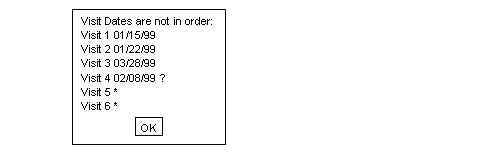
Example 5.35. Define a look-up table of study investigators
There are 2 steps involved in defining this edit check.
The first step is to create a file containing a list of investigator names
(e.g., $STUDY_DIR/lib/investigators.lut).
For example:
Dr. Joseph Smith
Dr. Sally Brown
Dr. Jane Doe
Dr. Michael Green
The file investigators.lut must also be registered in
$STUDY_DIR/lib/DFlut_map.
For example, the following entry would be appended:
INVESTIGATORS|investigators.lut
The second step is the definition of the edit check.
edit investigatorpicklist(){
    #this is a field exit edit check attached to the
    #Investigator style

    string s, m ;

    #look for an exact match, if found abort
    s = dflookup("INVESTIGATORS",@T,"",-1);
    if( !dfblank(s) ) return;

    #display pick list for user selection
    s = dflookup("INVESTIGATORS",@T,"",4);
    if( !dfblank(s) ){ @T=s; return;}

    #if user does not pick a value from pick list and leaves
    #the field blank, add a missing value query
    if( dfblank(@T) )
        dfaddqc(@T,1,"",1,2,"");
    else{
        #if user does not pick a value from pick list and enters
        #some other value, add an illegal value query
        m = @T + "is not a registered investigator.";
        dfaddqc(@T,2,m,1,2,"");
    }
}
Example 5.36. Define a generic function that will fill fields in the specified range of field numbers with the specified value
A generic function such as this can be referenced by name within any
other edit check in the study.
If you define generic functions in your DFedits file, be sure to
define them at the beginning of the file.
In this example, the generic function is called
GEN_Fill,
f and f2 define
by their numeric position
the range of fields that are to be filled, and
value represents the string value that is to fill
the specified fields.
#GEN_Fill(f,f2,value)
#enter the specified value into fields in the specified range
number GEN_Fill(number f, number f2, string value)
{
    while(f<=f2){
        @[f]=value;
        f = f + 1;
    }
}
Note that the function body does not actually return a number per its declaration. In such a case, the edit check environment returns a 0 value from the function, but this behavior should not be relied on. It is better to be explicit.
Here are some tips to help debug edit checks:
Use
dferror/dfmessage/dfwarningstatements at strategic places in your edit check.Remember that local variables are initialized to blank and any operation on blank data produces a blank result.
Variables are passed by value and not by reference - it is not possible to add a query to a function argument from within a function.
Be careful to use a double equals,
==, in if statements if you are trying to compare values. A single equal,=, is valid and performs an assignment and test for non-zero. The compiler will produce a warning message if you try to assign values in an 'if' statement.If the function in the setup tool reports problems, the actual error may be on the line just before the reported line number.
Do not use the same name for both edit checks and database variables. If you do, the compiler will issue an error message.
Do not use the same name for a local variable and a database variable. If you do, the local variable declaration hides the database variable until the end of the edit check or function.
The single quote, ', and the double quotes, ", are not interchangeable. Use double quotes whenever you are dealing with strings. Single quotes return the ASCII value of the single character they contain.
Use raw data entry to quickly test correct behavior.
Think about what happens if fields contain missing values.
Think about what happens when fields used in your calculations have queries attached to them.
Think about what happens if your edit check is executed again.
The shell level program DFcompiler can be used to compile the edit checks for DFexplore. Edit checks can be compiled from the command line as follows:
% DFcompiler -s # -o DFedits.bin DFedits
It is easiest to run DFcompiler from the study ecsrc directory and DFedits.bin
will be saved in the same ecsrc directory.
Edit checks can also be compiled by selecting in the Edits Checks dialog of DFsetup. Edit checks are loaded automatically when DFexplore, DFweb or DFcollect starts and can also be reloaded following a new compile, in DFexplore only, from the > menu.
The recommended procedure, when it is necessary to implement and test new edit checks
or modifications of existing edit checks, is to use DFsetup's Development and
Production studies feature.
Among other benefits, this allows study users to continue using the existing edit
checks without interference until the new version has been fully tested.
It is also recommended that previous production versions of DFedits be preserved
in case you ever need to rollback. A simple way to do this, for a study administrator,
is simply to rename DFedits
to DFedits_yyyymmdd, where yyyymmdd
is the date on which the DFedits file was replaced by a new version.
Allowable characters: A-Z, a-z, 0-9, _
No length limit
Case sensitive
First character must be a letter
Modifiers:
\n(new line),\r(carriage return),\t(tab),\f(form feed),\\(backslash)Maximum length: 1024 characters
The edit check language interpreter limits the number of instructions that can be executed per edit check to 1,000,000. This limit is imposed to provide endless-loop detection and prevention.
Reserved words cannot be used as edit check or variable names.
| @PID | DFSITE_ADDRESS | DFVAR_UNIQUE | dfgetseq |
| @PLATE | DFSITE_CONTACT | DFVAR_UNITS | dfhelp |
| @T | DFSITE_FAX | DFVAR_USER1 | dfid2alias |
| @VISIT | DFSITE_ID | DFVAR_USER2 | dfillegal |
| DFACCESS_HIDDEN | DFSITE_NAME | DFVAR_USER3 | dfimageinfo |
| DFACCESS_IMMUTABLE | DFSITE_PHONE | DFVAR_USER4 | dflegal |
| DFACCESS_MASKED | DFSITE_BEGINDATE | DFVAR_USER5 | dflength |
| DFACCESS_NORMAL | DFSITE_COUNTRY | DFVAR_USER6 | dflevel |
| DFACCESS_VIEWONLY | DFSITE_ENDDATE | DFVAR_USER7 | dflogout |
| DFIMAGE_ARRIVAL | DFSITE_ENROLL | DFVAR_USER8 | dflookup |
| DFIMAGE_FIRSTARRIVAL | DFSITE_INVESTIGATOR | DFVAR_USER9 | dflostcode |
| DFIMAGE_FORMAT | DFSITE_PROTOCOL1 | DFVAR_USER10 | dflosttext |
| DFIMAGE_LASTARRIVAL | DFSITE_PROTOCOLDATE1 | DFVAR_USER11 | dfmail |
| DFIMAGE_PAGES | DFSITE_PROTOCOL2 | DFVAR_USER12 | dfmatch |
| DFIMAGE_SENDER | DFSITE_PROTOCOLDATE2 | DFVAR_USER13 | dfmessage |
| DFMODULE_USER1 | DFSITE_PROTOCOL3 | DFVAR_USER14 | dfmetastatus |
| DFMODULE_USER2 | DFSITE_PROTOCOLDATE3 | DFVAR_USER15 | dfmisscode |
| DFMODULE_USER3 | DFSITE_PROTOCOL4 | DFVAR_USER16 | dfmissing |
| DFMODULE_USER4 | DFSITE_PROTOCOLDATE4 | DFVAR_USER17 | dfmissingrecord |
| DFMODULE_USER5 | DFSITE_PROTOCOL5 | DFVAR_USER18 | dfmissval |
| DFMODULE_USER6 | DFSITE_PROTOCOLDATE5 | DFVAR_USER19 | dfmode |
| DFMODULE_USER7 | DFSITE_REPLYTO | DFVAR_USER20 | dfmonth |
| DFMODULE_USER8 | DFSITE_SUBJECTS | DFVISIT_ACRONYM | dfmoveto |
| DFMODULE_USER9 | DFSITE_TEST | DFVISIT_DATE | dfneed |
| DFMODULE_USER10 | DFSTUDY_NAME | DFVISIT_DUE | dfpageinfo |
| DFMODULE_USER11 | DFSTUDY_NUMBER | DFVISIT_LABEL | dfpasswdx |
| DFMODULE_USER12 | DFSTUDY_USER1 | DFVISIT_MISSEDPLATE | dfpassword |
| DFMODULE_USER13 | DFSTUDY_USER2 | DFVISIT_OPTIONALPLATES | dfplateinfo |
| DFMODULE_USER14 | DFSTUDY_USER3 | DFVISIT_ORDERPLATES | dfpref |
| DFMODULE_USER15 | DFSTUDY_USER4 | DFVISIT_OVERDUE | dfprefinfo |
| DFMODULE_USER16 | DFSTUDY_USER5 | DFVISIT_REQUIREDPLATES | dfprotocol |
| DFMODULE_USER17 | DFSTUDY_USER6 | DFVISIT_TYPE | dfqcinfo |
| DFMODULE_USER18 | DFSTUDY_USER7 | DFopen_patient_binder | dfqcinfo2 |
| DFMODULE_USER19 | DFSTUDY_USER8 | DFopen_study | dfreasoninfo |
| DFMODULE_USER20 | DFSTUDY_USER9 | break | dfresqc |
| DFNEED_HIDE | DFSTUDY_USER10 | check | dfrole |
| DFNEED_OPTIONAL | DFSTUDY_USER11 | choice | dfsiteinfo |
| DFNEED_REQUIRED | DFSTUDY_USER12 | continue | dfstay |
| DFNEED_RESET | DFSTUDY_USER13 | date | dfstr2date |
| DFNEED_TRIM | DFSTUDY_USER14 | dfaccess | dfstudyinfo |
| DFNEED_UNEXPECTED | DFSTUDY_USER15 | dfaccessinfo | dfsubstr |
| DFPAGE_LABEL | DFSTUDY_USER16 | dfaddmpqc | dftask |
| DFPLATE_DESC | DFSTUDY_USER17 | dfaddqc | dftime |
| DFPLATE_FIELDS | DFSTUDY_USER18 | dfaddreason | dftoday |
| DFPLATE_SEQCODING | DFSTUDY_USER19 | dfalias2id | dftool |
| DFPLATE_USER1 | DFSTUDY_USER20 | dfanympqc | dftrigger |
| DFPLATE_USER2 | DFSTUDY_YEAR | dfanyqc | dfunresqc |
| DFPLATE_USER3 | DFSUBJECT_ALIAS | dfanyqc2 | dfvarinfo |
| DFPLATE_USER4 | DFSUBJECT_ID | dfanyreason | dfvarname |
| DFPLATE_USER5 | DFVAR_ACCESS | dfask | dfview |
| DFPLATE_USER6 | DFVAR_COMMENT | dfautoreason | dfvisitinfo |
| DFPLATE_USER7 | DFVAR_DESC | dfbatch | dfwarning |
| DFPLATE_USER8 | DFVAR_ENTER_VALUE | dfblank | dfwhoami |
| DFPLATE_USER9 | DFVAR_ESSENTIAL | dfcapture | dfyear |
| DFPLATE_USER10 | DFVAR_FLDNUM | dfcenter | edit |
| DFPLATE_USER11 | DFVAR_FORMAT | dfclosestudy | else |
| DFPLATE_USER12 | DFVAR_GENERIC | dfdate2str | exit |
| DFPLATE_USER13 | DFVAR_HELP | dfday | format |
| DFPLATE_USER14 | DFVAR_LABEL | dfdebug | group |
| DFPLATE_USER15 | DFVAR_LEGAL | dfdelmpqc | if |
| DFPLATE_USER16 | DFVAR_MODDESC | dfdirection | int |
| DFPLATE_USER17 | DFVAR_MODNAME | dfdisplay | number |
| DFPLATE_USER18 | DFVAR_MODNUM | dfeditqc | return |
| DFPLATE_USER19 | DFVAR_NAME | dfentrypoint | sqrt |
| DFPLATE_USER20 | DFVAR_PROMPT | dferror | string |
| DFPREF_CURRENT | DFVAR_REQUIRED | dfexecute | time |
| DFPREF_LOCK | DFVAR_STRING_VALUE | dfgetfield | vas |
| DFPREF_SESSION | DFVAR_TYPE | dfgetlevel | while |